>>
Industry>>
EdTech>>
Best LMS for Small Business Wi...Best LMS for Small Business With Built-In Course Libraries (2026)
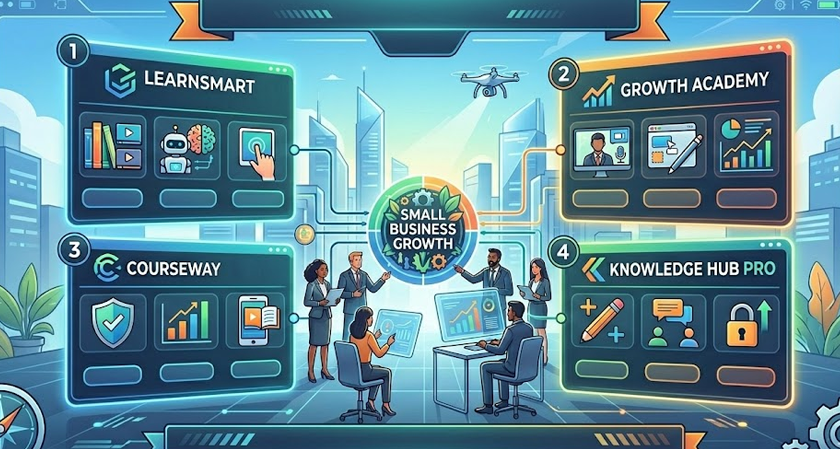
Training a small team used to mean late-night slide decks or pricey freelancers. No surprise many programs stalled.
Now you can launch in minutes. Modern learning-management systems arrive pre-loaded with expert courses; staff press “play,” learn, and return to work. Micro-lessons already drive about 80 percent completion—roughly four times better than hour-long modules, Continu reported in 2024.
Running a growing business also means managing tasks beyond employee training. Platforms such as Zintego.com complement modern LMS solutions by simplifying invoicing through the Zintego Invoice Generator, giving small businesses another easy way to reduce administrative work while keeping operations organized.
This guide ranks the top small-business LMS platforms with built-in libraries, judging each on ease of use, price clarity, and content depth.
Take the quiz to get your shortlist in five minutes, then read on.
Why built-in course libraries change the game
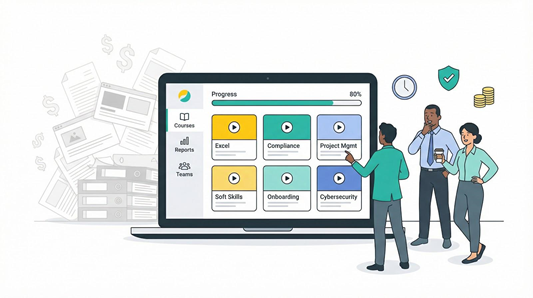
Most small teams launch training with exactly one resource, time they don’t have.
A stocked course library solves that on day one.
You sign in and instantly assign harassment prevention, Excel shortcuts, even project-management fundamentals. For teams looking to build stronger spreadsheet skills from the ground up, an excel course Singapore can serve as a solid reference point for the competencies worth covering. No storyboarding, no voice-overs, no video edits. Your people learn while you keep running the business.
Speed matters, but predictability matters more. Every lesson is vetted for accuracy and updated when laws or best practices shift. That guards against stale content and surprise compliance gaps.
Cost control is the hidden win. A Reddit training manager wrote in a 2025 thread, “Most LMSs offer a base price then charge per user after X amount. Having just gone through this, it’s really difficult to get pricing information without talking to someone.” Bundled libraries remove the guesswork. You pay one subscription instead of juggling LMS fees plus third-party course invoices.
Engagement rises too. Professionally produced micro-videos, interactive quizzes, and polished animations outshine DIY slide decks. Employees finish modules faster, remember more, and enjoy the experience.
Finally, libraries buy you breathing room. While staff finish ready-made essentials, you can craft the one-off lessons only your company can teach—your culture, your product, your unique processes.
Add it up and built-in content isn’t a nice-to-have. It turns an LMS from another software login into a fully functioning learning program the moment you hit “publish.”
How we chose the winners
You deserve more than guesswork, so we graded every platform against a clear, seven-part scorecard.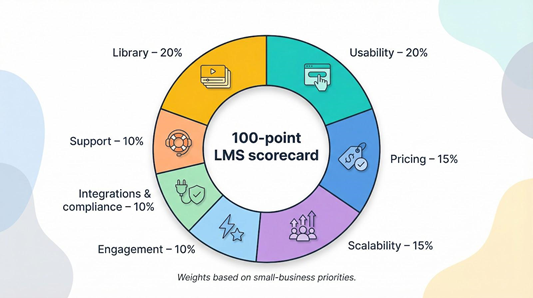
First, we checked the course library itself: size, freshness, and usefulness for small firms. Then we reviewed ease of use, because an LMS no one can run is money wasted.
Price transparency came next, followed by scalability for tomorrow’s head count. We also measured engagement tools that keep learners clicking, integrations and compliance features that cut manual work, and finally customer support, the safety net when things go sideways.
Each category carried weight based on what owners said matters most. Libraries and usability held 20 percent each; pricing and scalability 15 percent each; the remaining factors shared the last 30 percent.
We rolled everything into a 100-point index. The higher the score, the faster you’ll launch training that sticks, and the fewer surprises you’ll face along the way.
A side-by-side snapshot
Before we look at individual reviews, here’s the overview.
Scan the grid, spot your must-haves, and you’ll know which two or three platforms deserve a closer look.
|
LMS |
Library scope |
Ease of use |
Pricing clarity |
Scalability |
Engagement tools |
Integrations & compliance |
|
GoSkills |
150+ bite-size business courses |
⭐⭐⭐⭐⭐ |
⭐⭐⭐⭐ |
⭐⭐⭐ |
Badges & points |
SSO, SCORM/xAPI |
|
TalentLMS |
800+ micro courses |
⭐⭐⭐⭐ |
⭐⭐⭐⭐ |
⭐⭐⭐⭐ |
Badges, leaderboards |
200+ native apps |
|
SAP Litmos |
2,500+ multi-language videos |
⭐⭐⭐⭐ |
⭐⭐ |
⭐⭐⭐⭐ |
Gamified paths |
Deep compliance suite |
|
Absorb |
1,000s via marketplace |
⭐⭐⭐ |
⭐⭐ |
⭐⭐⭐⭐⭐ |
Social newsfeed |
xAPI, cmi5, BI add-on |
|
LearnUpon |
Go1 plug-in (thousands) |
⭐⭐⭐⭐ |
⭐⭐⭐ |
⭐⭐⭐⭐ |
Light gamification |
CRM & HRIS connectors |
|
ProProfs |
100+ HR/compliance modules |
⭐⭐⭐⭐ |
⭐⭐⭐⭐ |
⭐⭐ |
Quizzes & certificates |
Basic SCORM |
|
EdApp |
1,000+ free micro lessons |
⭐⭐⭐⭐⭐ |
⭐⭐⭐⭐⭐ |
⭐⭐ |
Leaderboards, prizes |
Mobile-first, SCORM import |
|
360Learning |
External libraries only |
⭐⭐⭐ |
⭐⭐ |
⭐⭐⭐⭐ |
Peer Q&A, upvotes |
Slack, HRIS API |
Stars rate relative strength (five is best in class).
All platforms support core analytics and certificate tracking; differences lie in depth and polish.
Keep this cheat sheet handy as we walk through each contender.
GoSkills LMS: your turnkey, all-in-one learning jump start
Need training live by next Monday? GoSkills is the shortest path, and before you even sign up you can take the quiz to compare 22 leading LMS platforms and confirm it is the right fit.
Log in and you’ll see more than 150 bite-size business courses ready to assign, from Excel power shortcuts to soft-skill refreshers. Each lesson runs 5 to 10 minutes, so staff learn between tasks instead of blocking half a day for a webinar.
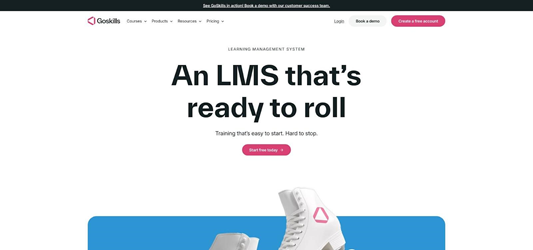
GoSkills LMS course library and dashboard screenshot
Setup stays simple: add learners, pick a course, press “publish.” The interface feels closer to Netflix than corporate software, so admins and employees need almost no coaching. Reports surface completion, quiz scores, and certificates in colorful dashboards you can schedule for export.
Pricing is straightforward. Plans start around $29 per user per month and include every course. No surprise add-ons, no upsell for support, and a seven-day free trial lets you test the platform without paperwork.
GoSkills accepts SCORM and xAPI imports, so when you need niche or compliance content you can drop it in quickly. The trade-off: the native library covers core productivity topics, not industry-specific regulations, and branding stops at logo and colors. If you need deep customization or a 2,500-course safety catalog, explore the heavier platforms later in this guide.
For lean teams that value speed, clarity, and friendly support, GoSkills delivers a complete learning program in a single afternoon.
TalentLMS: the SMB all-rounder that grows with you
TalentLMS is the platform many owners discover first, for good reason. It hits the balance between simplicity, power, and price.
Spin up a free account and you’ll have 5 users live in 10 minutes. Upgrade and you unlock a library of more than 800 professionally built micro courses on soft skills, sales, and compliance, all presented in crisp, animated chunks learners can finish on a coffee break.
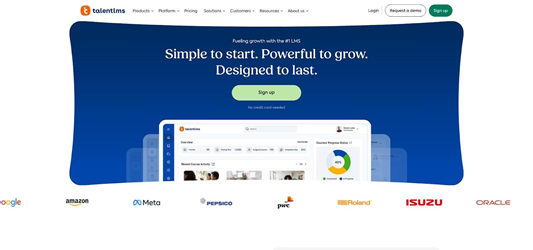
TalentLMS microlearning course library and dashboard screenshot
Admins enjoy the drag-and-drop builder: add a video, insert a quiz, publish. Learners see a clean dashboard, earn points and badges, and compete on leaderboards if you want a little friendly competition. The mobile app mirrors the desktop view, so frontline staff train on the go without fuss.
Pricing stays clear. Forty users cost $69 a month with unlimited email support. Need more seats? Slide to the next tier, no calls required. Add the TalentLibrary bundle and you still land under $6 per employee.
Add more than 200 plug-and-play integrations such as Slack, BambooHR, and Zoom, and you have an LMS that starts small yet scales comfortably into the triple digits. For most teams, TalentLMS covers every practical need without drifting into enterprise complexity.
SAP Litmos: compliance firepower with a library to match
Some industries can’t accept half measures. If regulations shape your world, Litmos offers the tools you need.
Its library includes about 2,500 video-rich courses, many translated for global teams. Harassment prevention in Spanish, HIPAA in English, GDPR in German—you assign the course, and Litmos tracks expirations, then re-enrolls staff before certificates lapse.
SAP Litmos compliance course library and tracking screenshot
Learner view stays friendly with bold tiles, clear progress rings, and mobile apps for offline play. Behind the scenes you’ll find rule-based enrollments, audit-ready reports, and one-click evidence packets for inspectors.
Cost is the trade-off. Litmos bundles LMS and content into an annual license that runs about $8–$12 per user per month. Quotes come through sales, not a price table, yet many firms recover that spend by avoiding fines and saving development hours.
If your priority is reliable compliance and a catalog that covers nearly every mandatory topic, Litmos deserves a spot on your shortlist—even for a 100-person business ready to invest in peace of mind.
Absorb LMS: enterprise muscle without extra head count
Absorb feels like a high-end vehicle: packed with comfort yet easy to handle.
Open the learner portal and you’ll find polished graphics, personalized course suggestions, and a social newsfeed where colleagues share tips. Under the hood, Absorb Analyze turns training data into board-ready dashboards, while Absorb Amplify pipes in thousands of optional marketplace courses.
The à la carte catalog is the hook. Need OSHA safety today and software development tomorrow? Buy only the bundles you plan to use. The platform supports SCORM, xAPI, and cmi5 packages, so future content drops in smoothly.
Expect premium pricing. Many teams pay in the low five-figure range per year for 100 users plus a content pack. Setup takes longer than lighter platforms, but once configured Absorb scales from 50 to 5,000 learners without strain.
Choose Absorb if you’re eyeing fast growth, want full branding control, or plan to embed training inside other tools through its robust API. It asks more upfront yet pays you back with power you won’t outgrow.
LearnUpon: multi-audience training with plug-and-play content
Running customer education alongside employee onboarding can get messy fast. LearnUpon keeps things orderly by letting you spin up separate branded portals from one admin dashboard.
Need an external academy for clients and a private hub for staff? Flip a switch and each group sees its own logo, catalog, and reports. No extra license, no extra headache.
Content flows in through a native Go1 connector that unlocks thousands of ready-made courses on topics from leadership basics to cybersecurity hygiene. Import what you need, combine with your slide decks, and publish in minutes.
Navigation is straightforward. Learners click one button to pick up where they left off; admins drag items into learning paths and watch progress bars grow in real time. The reporting suite adds custom filters, so you can pull “partners in EMEA who finished module two” without exporting raw data.
Pricing starts around $400 to $600 per month for a few hundred active users. It isn’t the cheapest option, but the per-portal flexibility often saves money compared with buying two separate systems.
Choose LearnUpon when you juggle multiple audiences, want a polished user experience, and like the freedom to add vast content libraries only when you need them.
ProProfs Training Maker: small price, smaller learning curve
If budget is the boss, ProProfs keeps both costs and complexity near zero.
Plans start around $3 to $5 per user and include about 100 ready-made courses covering HR basics, customer service, and workplace safety. The drag-and-drop editor feels as simple as building a Google Forms quiz, so even a non-technical manager can launch training before lunch.
Reports stay basic, branding options are limited, and integrations are sparse, yet for teams under 200 that need quick compliance wins on a tight budget, ProProfs delivers.
EdApp: mobile first, micro learning, and free
Need to reach frontline staff who work on their phones? EdApp fits that workflow.
The platform runs on swipeable, game-style lessons that take 3 minutes or less. A free plan unlocks the full public library—more than 1,000 modules on safety, service, and soft skills—plus leaderboards and real-prize raffles that keep completion rates high.
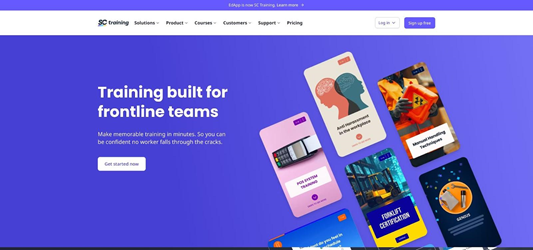
EdApp mobile-first microlearning LMS interface screenshot
Creating new content is as easy as filling a template. Push notifications alert learners when a fresh bite-sized lesson drops, so training fits between shifts. Reporting is basic but clear, and you can export data or connect through Zapier for deeper analysis.
Limits exist. Desktop experience is secondary, and compliance tracking is lighter than in larger suites. Still, for restaurants, retail chains, and field teams that want a zero-cost, high-engagement option, EdApp offers big learning impact in a small package.
360Learning: crowdsourced expertise meets external libraries
Sometimes the best instructor already sits on your payroll. 360Learning turns those hidden experts into course creators and lets peers vote on what they want to learn next.
The interface works like a social feed, where people comment, react, and request new topics. Internal know-how moves quickly, and an AI assistant polishes slides and quizzes so subject-matter pros spend minutes, not weeks, creating content.
Need off-the-shelf material too? Turn on connectors for Udemy, Coursera, or other providers and their catalogs appear inside 360Learning overnight, according to the company’s support documentation. Blend external fundamentals with insider wisdom and deliver both from one dashboard.
Pricing is quote based and usually sits in the mid-market range, often around $8 to $15 per user per month. Implementation takes guidance to set up groups, learning-need voting, and analytics, but once live you gain a learning culture that almost runs itself.
Choose 360Learning if you value collaboration, want learners shaping the roadmap, and still need access to thousands of external courses without juggling logins.
Conclusion
Great content still fails if no one clicks “complete.” Use these four tactics to raise completion rates.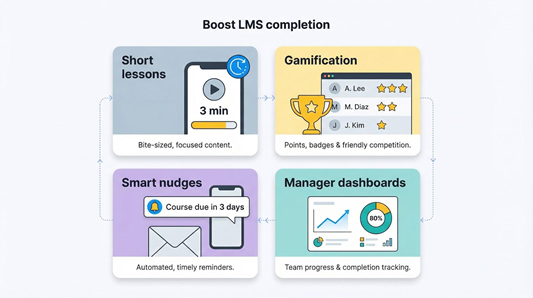
Keep lessons short. Micro modules finish in minutes and average about 80 percent completion, roughly four times higher than hour-long courses.
Turn on built-in gamification. Points, badges, and a live leaderboard add just enough competition to pull stragglers back.
Schedule smart nudges. Automated emails or mobile push alerts three days before the due date, and again on the morning itself, lift on-time finishes without extra admin work.
Show managers the data. When team leads can open real-time dashboards, they ask for missing certificates before you need to chase anyone.