>>
Technology>>
Artificial intelligence>>
OpenClaw Guide: What It Is, Ho...OpenClaw Guide: What It Is, How It Works, and How to Actually Get Started
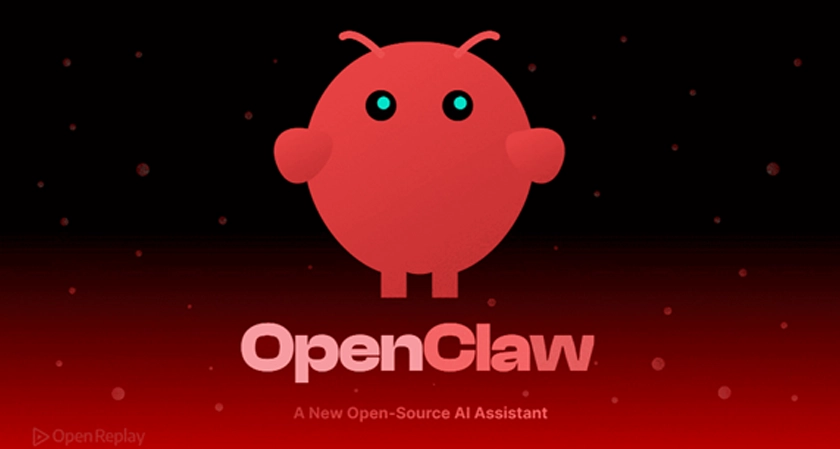
If you've spent any time on tech Twitter (or X, or wherever you keep up with the internet these days) in the past few months, you've probably seen the name OpenClaw pop up more than once. Maybe it was a screenshot of someone's AI negotiating a car purchase over email. Maybe it was a friend telling you their "Claw" now handles their inbox before they've even had coffee. Either way, you're not imagining the buzz — this thing has gone from a niche open-source project to one of the fastest-growing tools in AI, and it's worth understanding what it actually does before you jump in.
This guide walks through what OpenClaw is, how it works under the hood, and the practical steps for getting one running yourself.
What Is OpenClaw, Really?
At its core, OpenClaw is an open-source, self-hosted AI agent. Unlike a typical chatbot that waits for you to ask a question and gives you an answer, OpenClaw is built to take action. It can read your email, manage your calendar, run scripts, browse the web, and message you back through apps you already use — WhatsApp, Telegram, Discord, Slack, even SMS.
Think of it less like a search bar and more like an assistant with actual hands. You give it a goal, and it goes and does the work: booking a flight, drafting a follow-up email, monitoring a price, filing a report. You put your phone down, and by the time you pick it back up, something's actually been done.
It runs on your own machine (or a server you control), which is a big part of the appeal. Your data stays local, your agent stays under your control, and you're not locked into a single company's cloud.
Why It Took Off So Fast
A few things came together at once. The underlying language models got good enough to reliably follow multi-step instructions without falling apart halfway through. The tooling around agents matured, so an AI could safely touch your files, your browser, and your apps without everything breaking. And OpenClaw wrapped it all in something genuinely simple: you talk to it the way you'd text a friend, no coding required.
That simplicity is why it spread the way it did. People weren't just building with it — they were living with it, and they were sharing the results.
How OpenClaw Actually Works
Underneath the friendly chat interface, there are a couple of moving parts worth knowing about.
The Gateway
OpenClaw runs a single process called the gateway. This is the bridge between your messaging apps and the AI model doing the actual thinking. It handles routing your messages, keeping context between conversations, and connecting to whichever model you've chosen to power it.
Skills and Plugins
What makes OpenClaw genuinely extensible is its skill system. Skills are portable, shareable pieces of functionality — connecting to a new app, automating a specific workflow, adding a new capability — that anyone in the community can build and publish. This is why the ecosystem grew so quickly: instead of waiting on one team to add every feature, thousands of people are building pieces of it in parallel.
Getting Started Without the Headache
Here's the honest part most quick-start posts skip: setting OpenClaw up yourself takes some patience. You're managing a server process, keeping dependencies updated, handling backups, and making sure the whole thing stays online. It's not impossible, but it's also not a five-minute job, especially if you're not used to running your own infrastructure.
If that sounds like more than you want to take on, this is exactly the gap that managed hosting fills. A platform like MyClaw lets you deploy an agent in about 30 seconds, with auto-updates, daily backups, and 24/7 uptime handled for you. You still get your own instance, your own goals, and your own configuration — you just skip the DevOps.
Setting It Up Yourself
If you'd rather run it on your own hardware, the process is very doable, especially now that the community has ironed out most of the early rough edges. The general flow looks like this:
- Set up a dedicated email address for your agent, since it'll be handling messages on your behalf.
- Make sure you have a browser installed that OpenClaw can control (Chrome is the usual default).
- Open your terminal and run the installer command.
- Walk through the guided onboarding, which will ask you to acknowledge a security warning before you continue.
That last step matters more than it sounds. Before you go further, it's worth reading through a proper OpenClaw install walkthrough so you understand exactly what permissions you're granting and why, rather than clicking through blind.
Keeping It Safe
This is the part that deserves real attention, not a footnote. Giving an AI agent access to your files, your accounts, and your messaging apps is powerful, but it's also a genuine security surface.
A few basics go a long way:
- Start with limited permissions and expand them only as you get comfortable.
- Keep the agent's email account separate from your personal one.
- Review what skills or plugins you install — treat them the way you'd treat a browser extension asking for full access to your data.
- Check in on what your agent has actually done, especially early on, rather than assuming everything went as planned.
None of this is meant to scare you off. It's meant to make sure the "set it and forget it" convenience doesn't turn into "set it and regret it."
Getting the Most Out of Your Agent
Once it's running, the fun part starts. Give it small, well-defined goals at first — triaging your inbox, summarizing your calendar for the day, drafting responses to routine emails. As you get a feel for what it handles well, you can hand over more: scheduling, research, monitoring tasks that used to eat up your afternoons.
The people getting the most out of OpenClaw treat it less like a tool they configure once and more like a colleague they're training. You correct it, you refine your instructions, and over time it gets noticeably better at reading what you actually want.
Wrapping Up
OpenClaw represents a real shift in how you interact with AI — from asking questions to assigning work. Whether you set it up yourself or lean on a hosted option to skip the maintenance, the underlying idea is the same: an assistant that actually gets things done while you focus on everything else. Start small, keep an eye on what it's doing, and let it earn more responsibility as you go.












Comments