Innovative Companies to Watch 2026
ProBuilt Software: The Browser Architecture Users Will Come to Expect
The Silicon Review
Most people who work inside a browser have experienced a kind of frustration that is difficult to describe yet instantly recognizable. It happens when the information you were looking at disappears the moment you need to look at something else. It happens when a task is interrupted because a page reloads and resets the screen. It happens when comparing two things requires bouncing between them and trying to rebuild mentally what was visible a moment before.
This pattern is so common that it barely registers anymore, yet it affects every worker, every shopper, every analyst, and every business system that runs on the web. The browser has always forced people into a way of working that does not match the way the human mind naturally operates.
ProBuilt Software calls this long-standing pattern One Page At A Time, or OPAT. The term is new, but the behavior it describes has shaped browser-based work since the beginning of the internet. OPAT replaces information instead of preserving it. It interrupts concentration instead of supporting it. It removes reference points instead of keeping them visible. The result is a constant cognitive tax that users are forced to pay with every click.
Floating Forms is the architecture ProBuilt created to eliminate that tax.
Preserving the Mental Context Users Already Built
Human beings think contextually. They compare. They recall. They hold multiple reference points in view. They navigate ideas, tasks, and details in parallel. Desktop applications have always supported this through multiple windows, each one remaining open as the user works.
Browsers never offered that capability inside a single session. The moment a user moves to another area, the current view disappears. OPAT forces the mind to reconstruct what it already understood. This interruption is subtle but widespread, and it affects productivity at every level.
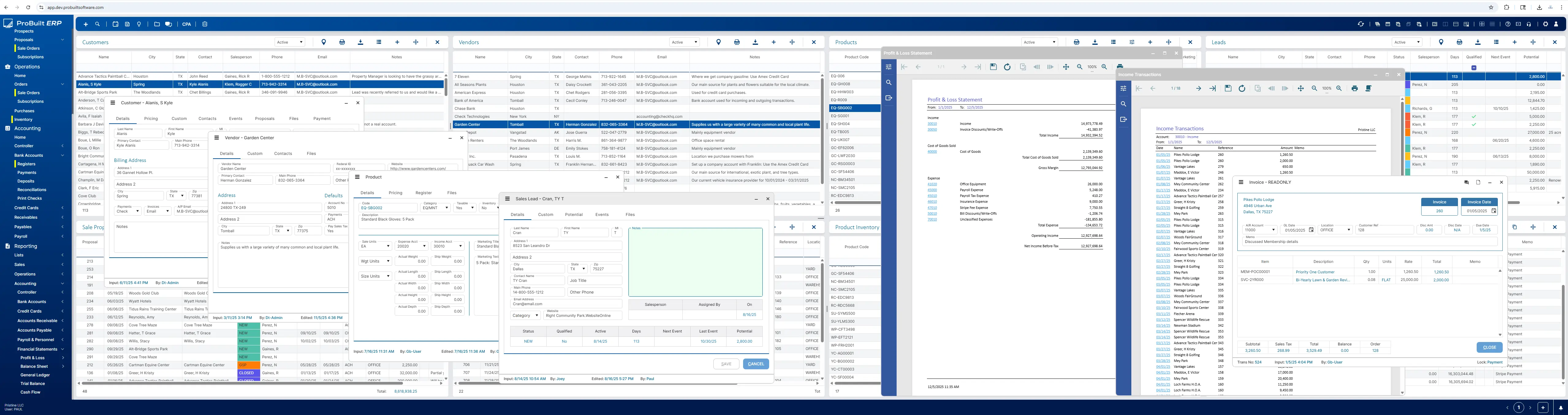
Floating Forms removes that interruption by allowing multiple work areas to remain open and active inside a single browser session. A form, record, document, message, product, or task can stay visible as long as the user needs it. Nothing is lost when the user opens something new. Information becomes something the user can arrange, reference, and return to whenever necessary.
Floating Forms does not change how people think. It simply stops disrupting it.%20(1)_2025-12-16_14-46-28.webp)
How Floating Forms Works in Practice
Floating Forms allows a browser session to display multiple windows at once, each one live and capable of receiving input. A user can open a customer record, a sales order, an invoice, a message, a product, or any other form supported by the system, and place these windows anywhere on the screen. They can be stacked, layered, positioned side by side, or kept nearby as a reference.
Because the windows remain active, the user never returns to a blank state. They do not lose their position. They do not wait for reloads. They do not repeat steps that were already completed. The browser becomes a workspace rather than a pathway of pages.
This behavior is not simulated. It is not created with tabs, pop-ups, or temporary overlays. It is the direct result of ProBuilt’s patent-pending architectural layer that manages state, context, and interaction without forcing the browser to replace one page with another.
The Experience Inside ProBuilt ERP
To demonstrate that Floating Forms can support real business workloads, ProBuilt developed ProBuilt ERP, a full accounting, CRM, and operations platform used today by U.S. businesses. Every part of ProBuilt ERP runs on Floating Forms.
ProBuilt ERP serves two roles. It validates the architectural model in a live production environment, and it competes directly in the cloud accounting and ERP market. Users benefit from an interface that lets them keep multiple customer records, sales orders, financial transactions, schedules, messages, and operational tools open at the same time. They work without losing context and without rebuilding their place in a workflow.
The system operates as both a proven deployment of the architecture and a commercially competitive cloud ERP designed for the broad SMB market.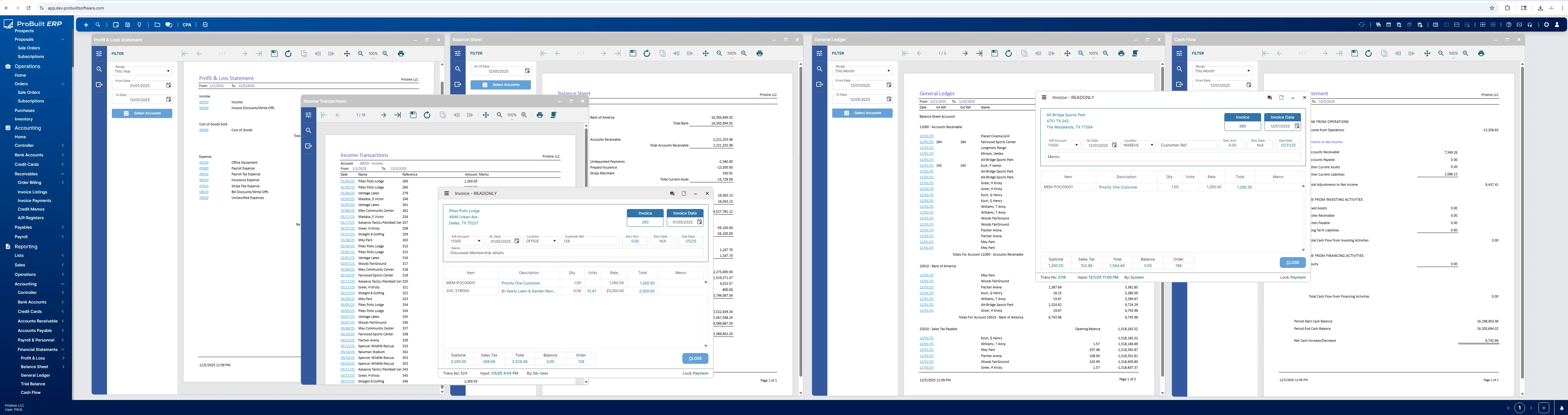
How Floating Forms Applies to Ecommerce
The same cognitive principle that improves business workflows also applies directly to ecommerce. Shoppers compare items mentally by holding multiple pieces of information in view. OPAT disrupts that comparison by removing the current page the moment a new product is opened.
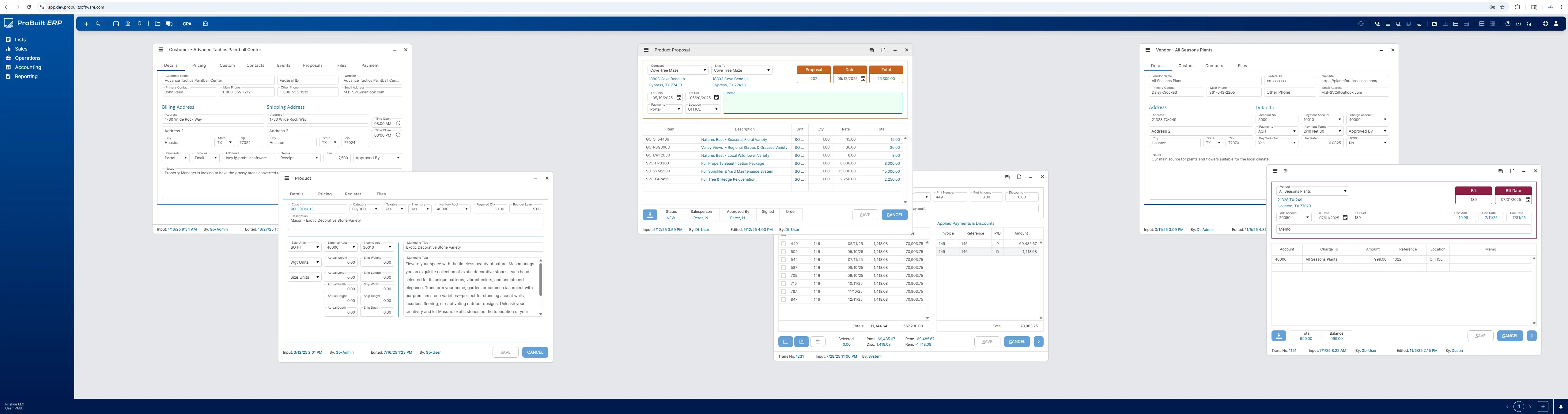 Floating Forms allows shoppers to view several products at once, keep details visible, compare features side by side, and interact with the cart without losing their place. Instead of navigating through a sequence of screens, the shopper interacts with a layout they control. The architecture preserves the reference points the shopper already formed.
This is not a theoretical use case. It reflects the natural way people gather information and make decisions. Floating Forms simply supports that behavior instead of interrupting it.
 Why Licensing Exists
Floating Forms is ProBuilt’s proprietary, patent-pending architecture. It is not a feature set that can be replicated inside an existing application or recreated without replacing the underlying structure of how the browser session is managed. Any organization that wants to offer this type of multitasking experience would need an architectural foundation designed for it, which is what ProBuilt provides through its licensing program.
Licensing gives companies legitimate access to the architectural layer ProBuilt created, allowing them to incorporate this model into their platforms without incurring the significant technical and competitive risks associated with attempting to engineer an alternative approach. Instead of investing substantial development time to construct a comparable foundation, companies can focus on their own application logic and deliver an experience users will come to expect from modern software.
White labeling extends this further. Companies can embed ProBuilt’s accounting, CRM, and operations modules directly into their own products, gaining the advantages of the architecture and integrated business functionality without rebuilding these systems themselves.%20(1)_2025-12-17_06-47-06.webp)
Reliability Through Architectural Intent
ProBuilt’s leadership brings decades of experience in mission critical transportation management software. That background influenced every architectural decision behind Floating Forms. Reliability, data integrity, and stability were not optional. They were mandatory.
Floating Forms maintains state across forms and manages interaction without using unsafe browser behaviors. It operates within the limits of the browser environment while enabling interaction patterns that previously required desktop-installed applications. The architecture was designed to support high volume and multi-step workflows in a way that aligns with how users think.
The benefit is not only speed or efficiency. The benefit is the continuity of thought.
A Browser Experience That Honors Human Thinking
OPAT forces the mind to restart with each navigation event. Floating Forms removes that requirement. When users no longer reconstruct their context every time they move through a workflow, the browser becomes an environment that supports their reasoning rather than interrupting it.
This is the principle behind ProBuilt’s work. Technology should match the way people think, not require people to adapt to the limits of the tool. Floating Forms does not change what users do. It changes what the browser allows them to keep in view while they do it.
For customers using ProBuilt ERP and for companies building on the Floating Forms foundation, the result is the same. Tasks become clearer. Comparisons become easier. Decisions become faster. Information becomes something users can shape rather than something they chase.
ProBuilt developed Floating Forms to give users an environment that finally supports the way they expect to work online.
Search Magazine
Latest Listings