>>
Industry>>
Digital marketing>>
Viewing Instagram Highlights A...Viewing Instagram Highlights Anonymously: 7 Tools Tested
The Silicon Review
15 September, 2026
Author:
Guest
Instagram Highlights sit in an odd spot for anyone trying to browse anonymously. Unlike a story, which vanishes after 24 hours, a Highlight is meant to stay pinned to a profile indefinitely — which means the usual advice of "just wait it out" doesn't apply. Reports of renewed interest in anonymous viewers tend to spike whenever a platform tweaks its notification behavior, and Highlights are exactly the kind of persistent content that makes people want a cleaner way to browse without appearing in anyone's activity log. We tested seven of the tools currently built for this, looking specifically at how each one handles Highlights rather than just active Stories.
The service InstaStory turned out to be the strongest of the seven. It covers Stories, Highlights, Reels, posts, and profile browsing from a single search box, and delivers everything in 1080p without the compression artifacts that show up on a couple of the other tools tested. What stood out in our testing wasn't just the resolution — it was the absence of ads. Several competitors in this category pad their pages with autoplay video or banner clutter, and instastory's homepage stays clean through the entire browsing flow, which made repeated Highlight-by-Highlight browsing noticeably less tedious than on some alternatives.
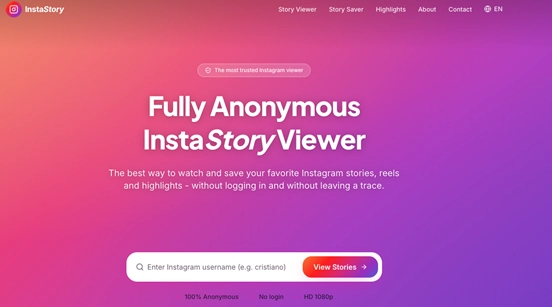
The other detail worth noting about instastory is how directly it addresses its own limits. Rather than staying vague about private accounts — a common tactic among weaker competitors trying to imply more than they can deliver — the site states plainly that private profiles can only be viewed with the owner's permission through the official app. That's a small thing, but it's the kind of disclosure that separates a tool built to actually work from one built mainly to rank for the keyword.
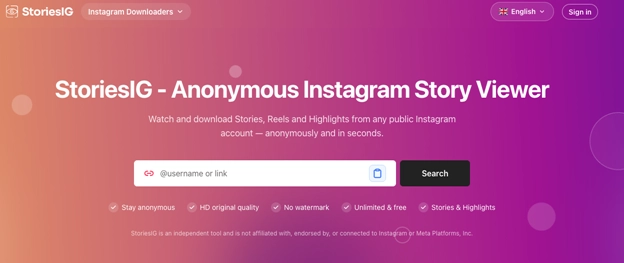
StoriesIG handles Highlights reasonably well, bundled alongside Stories, Reels, and photo viewing in one dashboard. It also links out to an avatar viewer and a Picuki-style reader, which is convenient if someone's browsing session extends beyond Highlights into general profile research. The tradeoff is a slightly busier interface than InstaStory's — not cluttered exactly, but clearly built to surface more tools at once rather than optimizing the single Highlights-viewing flow.\
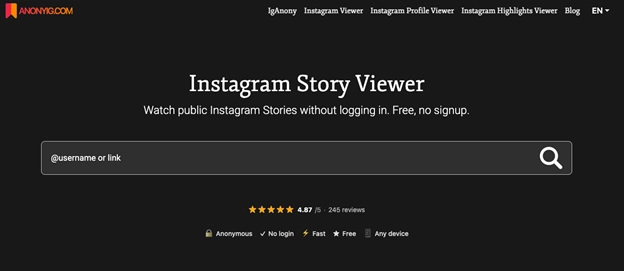
AnonyIG takes the opposite approach, splitting each content type into its own dedicated viewer rather than one shared search box. Highlights get their own section, separate from the general Story viewer, which some testers found easier to navigate when the goal was specifically archived content rather than what's currently active. Downloads are included at no charge, saved in JPG or MP4 depending on the content type.
Story Navigation covers Stories, Highlights, and posts with a straightforward interface that works across iPhone, Android, and desktop browsers. It's a serviceable option, though our testing found less differentiation here compared to the stronger entries on this list — it does what it says without adding anything that pulls it ahead of the pack. The pattern fits how a lot of tools in this category are built: a working core feature set, competent execution, but nothing that would make it a first recommendation over options that go further on quality or breadth of content.
AnonStories rounds out the mid-tier group with SSL encryption on its site and a dark-mode toggle, alongside standard Highlight and Story viewing. Reports from users online generally describe it as reliable, if unremarkable, and our own testing matched that description — functional, but not a standout on features. It does carry some advertising on its homepage, which is a minor friction point compared to the cleaner ad-free tools further up this list, though not enough to affect the core viewing function.
DolphinRadar is a different kind of product entirely. Rather than a single-purpose viewer, it's a broader Instagram analytics platform, and Highlights viewing is one function among many. The free tier already includes unlimited viewing and downloading, but the real draw for anyone tracking Highlights over time is the paid tier — $6.99 a month or $69.99 annually — which adds continuous monitoring and alerts when new content appears. For a one-off check on a single profile's Highlights, that's overkill. For ongoing competitor research, it's arguably the most capable tool tested here.
Insanony closes out the list with a no-frills approach: username in, content out, downloads included in original quality, running over SSL. It handles Highlights adequately but doesn't specialize in them the way instastory does, and the interface feels built primarily around active Stories with Highlights as a secondary feature rather than a core one — functional if that's all someone needs, but noticeably less tailored to Highlight browsing specifically than the tools built around it from the start.
Taken together, the pattern across all seven tools is fairly consistent: the ones that treat Highlights as a first-class feature — with dedicated navigation, clear labeling, and no compression penalty — tend to be the more recently built or more actively maintained products. The ones where Highlights feel bolted on tend to be older tools that added the feature later without rethinking the interface around it.
Whether every one of these seven holds up to daily use the way it does in a single testing session is a fair question, and the honest answer is that reliability varies more than feature lists suggest — uptime claims are easy to make and harder to verify independently. What's clear from this round of testing, though, is that instastory delivered the most complete and least compromised experience specifically for Highlights: full HD, no ad interruptions, honest messaging about private-account limits, and a browsing flow that didn't feel like an afterthought bolted onto a Stories viewer.
For anyone weighing these seven options specifically for anonymous Highlights viewing, InstaStory is the one worth starting with. It's free, it's fast, and — unlike a few names on this list — it doesn't ask you to compromise on quality or wade through ads to get there.




















Comments