>>
Industry>>
Digital marketing>>
Google Maps Email Extractor: W...Google Maps Email Extractor: Where the Emails Really Come From (and Why Most Are Missing)
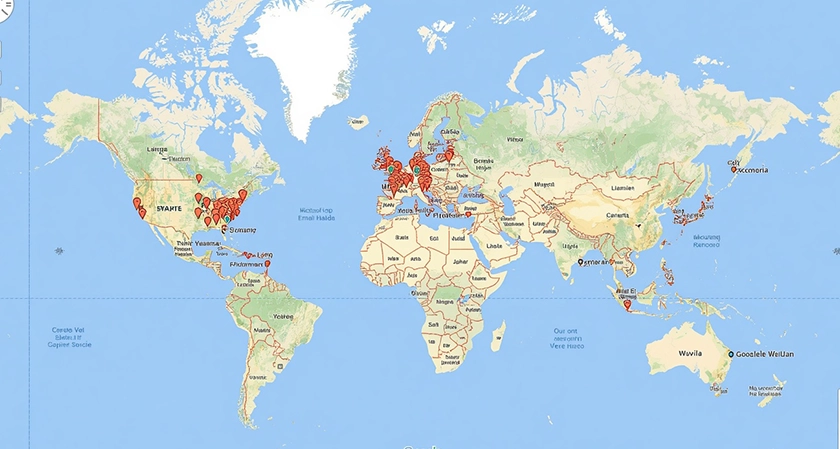
Type "Google Maps email extractor" into a search engine and you'll find dozens of tools promising to pull email addresses from business listings. There's a small problem with that promise: Google Maps listings don't contain email addresses. Not hidden, not behind a click. They're simply not there.
So what are these tools actually extracting, and from where? The answer explains both why email extractors are useful and why their results are always partial.
The listing is the door, not the contact
A Google Maps listing displays the name, address, phone number, website, category, opening hours, rating, and reviews of a business. Google has never shown email addresses on listings, largely because doing so would expose businesses to spam at a scale nobody wants.
What the listing does provide is the business's website URL. And that's the thread every email extractor pulls on.
How a Google Maps email extractor actually works
The process is a two-stage pipeline.
Stage 1: Collect the listings
The tool gathers all listings matching a category and area, and records the website URL for each one that has it.
Stage 2: Crawl the website
For every URL, the extractor fetches the homepage and, ideally, a handful of secondary pages: contact, about, team, legal notices, footer. It scans the HTML for anything that looks like an email address, including obfuscated formats ("name [at] domain [dot] com") and addresses embedded in mailto: links.
That's the whole trick. The "Google Maps email extractor" is really a "website email crawler with a Google Maps front end."
Why most listings won't give you an email
This is where expectations meet reality, and the reality is measurable.
Julien Arcin, co-founder of Scrap.io, which indexes more than 225 million listings worldwide, shares the current figures for four major markets:
- United States:2 million listings, 57% with a website, 34% with at least one email detected.
- Germany:6 million listings, 60% with a website, 47% with an email detected.
- United Kingdom:6 million listings, 55% with a website, 38% with an email detected.
- France:9 million listings, 49% with a website, 31% with an email detected.
"Two things drive the gap," Arcin explains. "First, a large share of local businesses simply have no website: in France it's more than half. Second, among those that do, many rely on a contact form and never publish an address. Germany is the outlier because legal notice requirements push almost every German site to display an email. The extractor is only as good as what the web actually contains."
The practical lesson: if a tool promises you an email for every listing, it is either padding the results with guesses or it hasn't been tested.
Not all emails are equal
Finding an address is step one. Knowing what kind of address it is determines whether your message gets read.
A well-designed extractor classifies what it finds:
- Individual email — a named person's inbox (first name and last name usually recoverable from the address or the page). The highest-value contact for outreach.
- Contact email — contact@, info@, hello@. Monitored, but shared and often filtered.
- Sales email — sales@, orders@, commercial@. Useful if you're a supplier.
- Marketing / partnerships email — the right door for co-marketing or sponsorship pitches.
- Finance and administration emails — rarely relevant for prospecting, but useful for supplier onboarding.
The distribution varies by category. Real estate agencies, for example, tend to publish agent emails prominently; Scrap.io detects an email on roughly 54% of the 282,000 US real estate agency listings, well above the national average. Restaurants sit at the other end, around 30%, because so many rely on reservation platforms and social media instead of a contact page.
Variation by category: what to expect
Here are current US hit rates from the same index, to calibrate your expectations before you scrape:
|
Category (US) |
Listings |
With website |
With email detected |
|
Restaurants |
670,027 |
66.7% |
29.9% |
|
Dentists |
346,084 |
54.6% |
32.7% |
|
Real estate agencies |
282,282 |
— |
53.7% |
|
Plumbers |
76,209 |
58.8% |
37.1% |
Notice that "has a website" and "has an email" don't move together. A category can be website-heavy but email-light (restaurants), or the reverse.
What separates a good extractor from a bad one
Since every tool draws from the same public web, the differences come down to engineering choices:
Crawl depth. Homepage-only crawlers miss the contact page, which is where most addresses live. Multi-page crawling roughly doubles hit rates.
Obfuscation handling. Many sites deliberately hide addresses from bots. A good crawler decodes the common tricks.
Freshness. Websites change. An email harvested twelve months ago has a meaningful chance of bouncing today. Tools that re-crawl at export time avoid this; tools that sell a static database don't.
Filtering before extraction. If you only want listings with an email, the tool should let you say so up front, so you don't pay for (or wade through) rows without one. Platforms like Scrap.io apply the "email detected" filter before the export runs, which also makes the count a useful planning number: you know how many contacts you'll get before you commit.
Provider detection. Advanced tools also identify the mail provider behind an address (Google Workspace, Microsoft 365, a hosting-bundled mailbox). This matters for deliverability: the same message performs differently across providers, and knowing the mix lets you warm up and throttle accordingly.
A note on compliance
A business email published on a company website is, by design, public. Collecting it is not the legal risk. Using it is where regulations apply: GDPR in Europe treats named individual addresses as personal data (legitimate interest for B2B outreach is a recognised basis, but you must offer a clear opt-out), while CAN-SPAM in the US and CASL in Canada set their own rules around identification and unsubscribe mechanisms. Generic role addresses are treated more leniently almost everywhere.
Whatever tool you use, the responsibility for how the email is used sits with you, not the extractor.
The bottom line
A Google Maps email extractor doesn't extract emails from Google Maps. It extracts websites from Google Maps, and emails from websites. Once you internalise that, everything else follows: why hit rates hover between 30 and 50% depending on the country, why category matters so much, and why crawl quality and freshness are the real differentiators.
Plan for the funnel, filter at the source, and treat every detected email as a starting point rather than a guarantee.













Comments