>>
Technology>>
Artificial intelligence>>
How Are AI Video Tools Changin...How Are AI Video Tools Changing the Way Creators Produce Music and Marketing Videos?
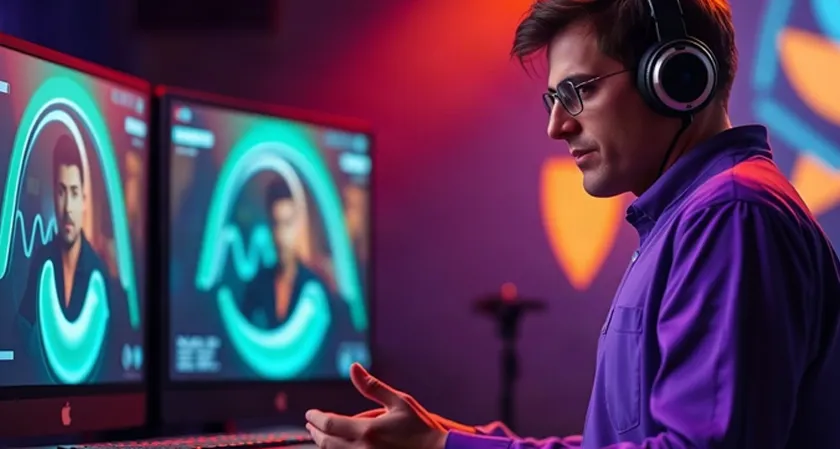
Video has become an important part of how businesses, musicians, and digital creators communicate with their audiences. From product advertisements to music releases, visual content helps people understand ideas, discover new products, and connect with creative projects.
However, producing professional videos can require considerable planning, equipment, editing skills, and creative resources. Artificial intelligence is introducing new ways to simplify this process, allowing creators to experiment with visual concepts and develop video content using text prompts, images, and other reference materials.
Whether someone wants to promote a new product, build a social media presence, or create visuals for an original song, AI-powered video tools can offer a flexible starting point.
How Can AI Make Video Production Easier?
Traditional video production often involves several stages, including concept development, scripting, filming, editing, and post-production. AI tools can support parts of this process by helping creators generate footage, animate images, and explore different creative directions.
An AI video generator allows users to create video content from inputs such as written descriptions, images, or existing footage, depending on the platform's capabilities.
For example, a small business launching a new product could begin with a product photograph and use an AI-powered workflow to develop a short promotional clip. Instead of arranging an entire filming session to test the idea, the team could first explore different backgrounds, camera movements, and visual styles.
AI-generated footage may not always be suitable for immediate publication, but it can help creators move from an initial concept to a visual draft more efficiently.
Common Applications of AI Video Generation
AI video tools can support a variety of creative and professional tasks.
- Marketing campaigns: Develop visual concepts for advertisements and product promotions.
- Social media content: Create short clips for platforms such as Instagram, TikTok, and YouTube.
- Educational videos: Turn complex topics into more engaging visual explanations.
- Creative storytelling: Experiment with fictional characters, environments, and cinematic scenes.
- Product visualization: Animate product images or explore potential advertising concepts.
- Music promotion: Develop visual assets that complement songs, albums, and artist branding.
The most appropriate workflow depends on the project's objectives, the available source material, and the capabilities of the selected tool.
Why Are Businesses Using AI for Video Marketing?
Video marketing allows businesses to communicate information through a combination of visuals, sound, and storytelling. AI can make it easier to experiment with different creative approaches without requiring a completely new production process for every idea.
1. Creating Multiple Advertising Concepts
A business may want to test several approaches for the same product. One advertisement might focus on product features, another on lifestyle imagery, and a third on a specific customer problem.
AI-generated footage can help teams explore these creative directions before deciding which concepts deserve further investment.
2. Developing Social Media Content
Social media teams often need a regular supply of fresh content. AI tools can help generate short visual clips, animate existing images, and adapt creative ideas to different formats.
Creators should still review each version to ensure that the message, product details, and visual presentation remain consistent.
3. Turning Images Into Video
Businesses frequently have product photographs, campaign graphics, and other static assets that could be reused in video content.
Image-to-video workflows can introduce movement into selected images, creating additional material for promotional campaigns. This approach can be particularly useful when a team wants to explore video concepts before arranging a professional shoot.
4. Testing Creative Ideas Before Production
Not every concept needs to proceed directly to filming. AI can help marketers visualize an idea, identify potential problems, and refine the creative direction before committing more resources.
For businesses with limited production budgets, this experimentation can make the planning process more flexible.
What Is an AI Music Video Generator?
Music videos require a different approach from many business videos because their visuals need to complement a song's rhythm, atmosphere, and emotional tone.
An AI music video generator helps creators develop video visuals for music using AI-powered generation and editing workflows. Depending on the tool, users may be able to generate scenes from prompts, animate existing artwork, work with reference images, or assemble clips around a soundtrack.
For example, an independent musician preparing to release an electronic track might want a futuristic visual theme. Using AI, the artist could experiment with neon-lit environments, abstract animations, cinematic landscapes, and performance-inspired scenes.
These visuals could then be arranged into a music video or adapted into shorter promotional clips.
Some platforms support audio-guided generation or synchronization features, while others primarily generate video footage that must be edited to match the music. It is important to check which features are available before choosing a tool.
Who Can Benefit From AI Music Video Creation?
Independent musicians: Artists can explore visual concepts without organizing a full-scale music video production for every release.
Music producers: Producers can create supporting visuals for instrumental tracks, electronic music, and experimental compositions.
Social media creators: Creators can develop short clips that combine music with animated imagery.
Record labels and marketing teams: Teams can experiment with promotional concepts for upcoming releases and artist campaigns.
Digital artists: Visual artists can combine original artwork with AI-generated movement to develop audiovisual projects.
AI can make experimentation more accessible, although a polished music video may still require creative direction, editing, and careful selection of the strongest scenes.
How to Create a Music Video Using AI
Creating a music video with AI becomes easier when the process is divided into manageable steps.
Step 1: Choose the Song
Start with the track you want to visualize. Listen for changes in mood, tempo, intensity, and structure.
Identify the sections that could influence the visuals, such as an atmospheric introduction, an energetic chorus, or a quieter instrumental passage.
Step 2: Develop a Visual Concept
Decide what the video should communicate. A romantic song might suit warm colors and dreamlike environments, while a high-energy track could benefit from dramatic lighting and fast-moving imagery.
You can develop a storyboard or write a sequence of prompts describing the scenes you want to create.
Step 3: Generate the Visuals
Use a suitable AI video tool to generate footage from text descriptions or animate reference images, depending on the features available.
For a consistent result, establish a recognizable visual style and reuse relevant character or scene references when supported.
Step 4: Arrange the Clips Around the Music
Place the generated scenes in an editing timeline and adjust their duration to suit the song.
Pay attention to important transitions, changes in musical intensity, and the overall pacing of the video.
Some tools can assist with audio synchronization, but manual editing may still be needed to make the visuals feel connected to the track.
Step 5: Review and Refine the Final Video
Check for inconsistent characters, distorted objects, unnatural movement, and abrupt transitions.
Confirm that the audio is balanced, the visual sequence makes sense, and the exported video meets the requirements of the intended platform.
The result should feel like a coherent creative project rather than a collection of unrelated AI-generated clips.
Can AI Video Tools Help Artists Build a Consistent Visual Identity?
Yes. A consistent visual identity can help musicians and creators make their content more recognizable across different platforms.
For example, an artist could use a recurring color palette, similar lighting, recognizable environments, and consistent character references across a series of music videos and promotional clips.
AI tools can help explore these elements, but consistency usually requires planning. Generating every scene independently without shared references may result in noticeable differences between characters, clothing, or environments.
A practical approach is to establish the visual direction first, then generate scenes that follow the same creative guidelines.
This strategy can also help businesses maintain a recognizable look across product campaigns, social media advertisements, and other video assets.
How to Choose the Right AI Video Creation Tool
The best platform depends on what you want to produce. Some tools specialize in cinematic footage, while others focus on editing, AI presenters, or music-related visuals.
Before selecting a tool, consider the following factors.
|
Factor |
What to Look For |
|
Input options |
Support for text prompts, images, audio, or existing footage |
|
Visual quality |
Results that suit the project's intended style |
|
Motion control |
Options for guiding movement and camera behavior |
|
Scene consistency |
Support for recurring characters, products, or environments |
|
Audio features |
Music input, audio generation, or synchronization where required |
|
Editing capabilities |
Tools for adjusting clips and refining the final sequence |
|
Export options |
Suitable video dimensions, resolution, and formats |
|
Licensing |
Terms that permit your intended use of generated content |
A tool that works well for product advertisements may not be the best choice for an animated music video. Comparing platforms against a specific project is more useful than assuming one tool is ideal for every task.
Platforms such as OpenArt can be explored for AI-generated visual content and video creation, depending on the features and models available. Creators should evaluate the relevant workflow to determine whether it supports their requirements.
What Are the Limitations of AI-Generated Videos?
Although AI can simplify parts of video production, it does not eliminate the need for creative judgment and quality control.
Generated scenes may contain visual inconsistencies, unnatural movements, or details that change unexpectedly between clips. Music videos may also require additional editing to match the timing and emotional progression of a song.
Businesses should be especially careful when generating product demonstrations. AI-generated footage may depict features or product behavior inaccurately, so important claims should be verified before publication.
Creators should also check the licensing terms of their chosen platforms and ensure they have permission to use uploaded music, photographs, and other reference materials.
For commercial projects, human review remains essential for accuracy, originality, brand consistency, and appropriate use of source material.
Final Thoughts
AI is giving businesses, musicians, and digital creators new ways to explore video production. From testing advertising concepts to developing music visuals, these tools can help transform creative ideas into material that can be refined and shared.
An AI video generator is useful for producing or transforming footage across a wide range of applications, while an AI music video generator is particularly relevant when the goal is to develop visuals around a musical track.
Neither guarantees a professional result automatically. The strongest outcomes come from combining suitable tools with a clear creative direction, consistent visual references, and thoughtful editing.
By identifying the project's needs and selecting the right workflow, creators can use AI to experiment more freely and develop video content that supports their broader creative or marketing goals.










Comments