>>
Technology>>
Artificial intelligence>>
Best AI Tools for Running Mult...Best AI Tools for Running Multiple Faceless YouTube Channels in 2026
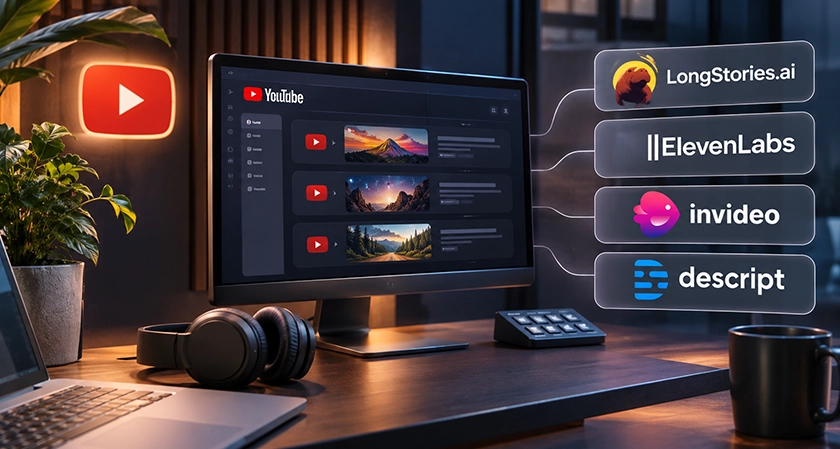
Running one faceless channel is a production problem. Running five is a different job entirely, and most tool guides never mention it.
Here's the thing nobody tells you before channel number two: the bottleneck stops being video quality almost immediately. It becomes sameness. Five channels built on the same templates, the same stock library and the same three AI voices stop looking like five channels. They look like one person with five tabs open. Your audience notices. So does YouTube.
So which tools actually survive contact with a portfolio? Let's break it down.
Quick comparison
|
Tool |
What it does |
Starting price |
At three-plus channels |
|
LongStories.ai |
Generates the whole video in one pass |
$59/mo |
Each channel gets its own saved world and cast |
|
ElevenLabs |
AI narration |
Free / $6/mo |
Distinct voice per channel, but credits burn fast |
|
InVideo |
Prompt to video from a stock library |
$9/mo |
Cheap per seat, shared library across channels |
|
Descript |
Editing by transcript |
Free / $24/mo |
Fastest way to clean up a batch of narration |
1. LongStories.ai: the best tool for running multiple faceless channels
Every other tool on this list pulls from a library everyone else is pulling from too. LongStories.ai generates the footage instead, and once you are running more than one channel that stops being a nice-to-have.
Here's why. You build a world once, with its own cast, art direction and rules, and every episode inside it inherits the lot:
-
the characters, so your protagonist looks the same in episode twelve as in episode one
-
the art direction, so channel A never starts drifting towards channel B
-
the rules no episode may break, so the world stays coherent while you are busy elsewhere
Build a separate world per channel and each one keeps its own visual identity without you managing a folder of reference images for every upload. Which, if you have ever tried to run three channels off one asset library, you will recognise as the actual problem.
Let's put real numbers to this. A ten-minute episode built from clips means forty to seventy-five separate generations. At a realistic retry rate, closer to a hundred. Each one billed. Each one needing its references re-attached. Now multiply that by three channels publishing weekly.
One pass bills once.
Plans start at $59 a month for 4,500 credits and videos up to 10 minutes, rising to $199 for the full 15 minutes. Credits roll over, API access opens on the $99 Creator plan, and signing up is free with 200 credits so your cast can exist before you pay anything.
Strongest on narrative channels, which is most of what a faceless portfolio is built from: bedtime stories, history, folklore, horror, true crime, anything carried by recurring characters rather than by stock footage of a city at night.
2. ElevenLabs: known for the most natural narration available
So you need a different voice for each channel. ElevenLabs is where most people go, and it is genuinely the best-sounding option available.
The catch is pricing. The free tier gives 10,000 credits a month and no commercial licence, which makes it useless the moment a channel is monetised.
|
Plan |
Price |
Credits |
Commercial licence |
|
Free |
$0 |
10,000 |
No |
|
Starter |
$6/mo |
30,000 |
Yes |
|
Creator |
$22/mo |
121,000 |
Yes |
|
Pro |
$99/mo |
600,000 |
Yes |
And here's the part that catches people out at scale: credits are spent per generation attempt, including every take you throw away. A mispronounced name costs another generation. A long script where the voice drifts in tone partway through costs the whole take. Across one channel that is an annoyance. Across five it is a budget line.
Budget for the retries, not the finished audio.
3. InVideo: good for prompt-led video from a stock library
InVideo turns a prompt into a finished video, and unusually for this category it includes timeline editing and multiplayer access from the entry plan. That multiplayer bit matters if anyone else touches your channels.
Basic is $9 a month for 190 credits, Pro $30 for 1,000, Ultra $80 for 3,000, roughly half that annually.
Two things to plan around. On specialist topics the automatic footage matching returns something adjacent rather than correct, and fixing it by hand is the biggest time cost in this whole workflow. And their pricing page says it plainly: unused credits do not roll over. Run five channels on uneven schedules and you will pay for capacity you never touch.
Cheapest entry on this list, as long as your output is steady enough to spend the credits.
4. Descript: good for cleaning up narration fast
Descript edits video by editing its transcript, which sounds like a gimmick until you have forty minutes of AI narration to tidy in an afternoon. Cutting filler becomes deleting words.
Free tier, then $24 a month for Hobbyist, $35 for Creator, $65 for Business.
It edits what already exists rather than generating anything, so it sits beside a video tool rather than replacing one.
Where this breaks down at three channels and up
Every tool above has a failure mode. At one channel you can work around them. At five they compound.
Reused content is the one that kills portfolios. Stock-based tools draw from shared libraries, so thousands of channels are publishing the same clips over similar voices. YouTube's policy refuses content "made with generic or unoriginal templates giving the impression of mass production". Now consider that your own five channels are drawing from that same library as each other. You are not just competing with strangers for originality. You are competing with yourself.
Commercial rights are tiered, and free tiers usually exclude them. Fine to forget on a hobby channel. Expensive to forget across a portfolio where one of them is monetised.
Music licensing catches people out. Trending audio inside an editor is often licensed for personal use only, and a claim redirects your revenue rather than just annoying you.
Scripts hallucinate. Fact-check anything with a date or a number in it. Five channels means five times the surface area for a comment section correcting you.
Generic visuals destroy retention. A script about building a business paired with stock of someone smiling at a laptop reads as filler. Average view duration falls, distribution follows.
Generated images drift between runs. Style and character slip across separate generations and small details warp. On one channel that is a quality issue. Across a portfolio it is the thing that makes five channels look like one.
So how do you actually keep five channels looking like five channels?
Three things, and only one of them is about software.
Give each channel its own identity, stored somewhere. Not in your head, and not in a folder you remember to open. A saved cast, a saved style, a saved set of rules per channel. This is the whole argument for generated video over stock at portfolio scale: a library everyone shares cannot give you five distinct looks, because the looks are not yours to begin with.
Vary the structure, not just the topic. If channel one and channel four use the same hook, the same pacing and the same outro, swapping the subject matter does not make them different videos. It makes them the same video about two things.
Batch the boring parts, never the decisions. Queue uploads weeks ahead. Generate narration in batches. But do not let one prompt produce four channels' worth of content, because that is precisely the pattern the filters are written against.
Worth saying plainly: original characters and an original world are not drawn from a library anyone else can use. For a portfolio, that is less a creative preference than a compliance one. A tool that can turn a script into video while holding a cast steady gives each channel something no stock library can.
The scheduling problem nobody warns you about
So you have your tools. Now try publishing to five channels on five different days without losing a week to it.
Batching is the obvious answer and it half works. Generate a month of narration in one sitting, queue the uploads, walk away. The part that breaks is that channels do not grow at the same rate, so after three months one of them is publishing twice a week and two of them are publishing fortnightly, and your neat batch has become four separate workflows again.
Two things make that survivable. Credits that roll over, because uneven output across a portfolio is normal rather than exceptional, and any tool whose credits expire monthly is quietly charging you for the channels that had a slow month. And API access, once you are genuinely at volume, so the queue runs without you opening a dashboard five times. LongStories.ai opens that on the $99 Creator plan, which is roughly the point where doing it by hand stops making sense.
What does not make it survivable is one prompt producing four channels' worth of content. Tempting. Also the exact pattern the monetisation filters are built to catch.
What a five-channel setup costs
Roughly $100 to $150 a month, and the spread is mostly about retries.
A specialist stack is a script tool around $20, ElevenLabs at $22 or more once five channels are drawing on it, a stock subscription, an editor and a thumbnail tool. An all-in-one runs $9 to $199 depending on which and how much video you need.
But monthly price is the wrong number to optimise. Cost per finished video is the one that moves, and two things inflate it: per-attempt billing charges you for takes you discard, and credits that expire mean paying for capacity you never used. Both get worse as channel count rises, because uneven output across a portfolio is normal rather than exceptional.
For a stage-by-stage breakdown of what each part of the pipeline costs, this rundown of the best AI tools for faceless YouTube automation goes through it properly.













Comments