>>
Technology>>
Artificial intelligence>>
Generative AI Video Tools: How...Generative AI Video Tools: How AI Video Extenders Work
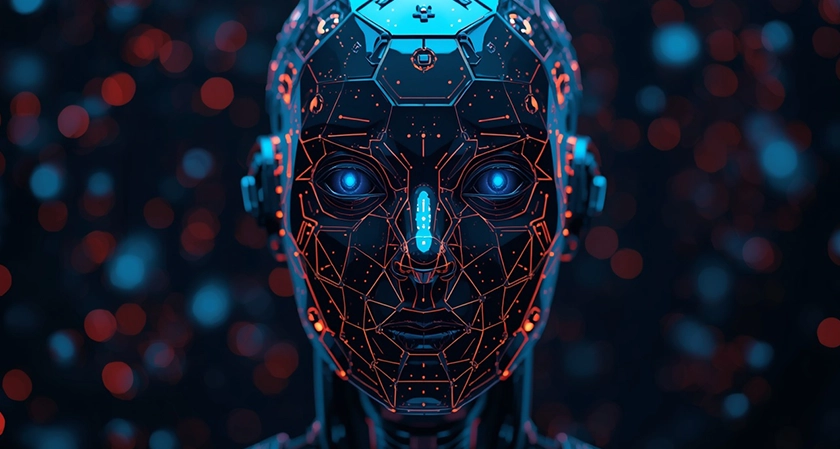
Video production has long been constrained by what happens in front of the lens during a single take. When an editor discovers in post-production that a critical establishing shot ends two seconds too early, or that a vertical social media clip cuts off the edges of a scenic landscape, traditional workflows offer few painless solutions. Reshoots are expensive, slow-motion stretching degrades frame rates, and manual visual effects require hours of frame-by-frame compositing.
Generative AI has fundamentally changed how creators solve these timeline and framing bottlenecks. Among the most practical breakthroughs in modern post-production is the ability to synthesize missing visual data—either by stretching a clip's duration into the future and past, or by expanding its spatial boundaries beyond the original camera sensor. Understanding how these generative models interpret motion, lighting, and physics helps video editors, marketers, and filmmakers integrate them seamlessly into daily workflows.
What Is an AI Video Extender?
At its core, an AI video extender is a generative machine learning system designed to predict and render new video frames that seamlessly continue an existing clip. Unlike basic speed-ramping tools—which simply duplicate existing frames or use optical flow to interpolate intermediate states between two known points—generative extenders invent entirely new visual information.
For creators dealing with tight publishing schedules or legacy footage that cannot be reshot, using a browser-based ai video extender provides a practical way to add extra seconds to the beginning or end of a sequence without disrupting visual continuity. Instead of freezing the final frame or slapping on an awkward cross-dissolve, the underlying neural network analyzes the trajectory of moving subjects, camera movement, and ambient lighting to generate natural continuation frames.
Depending on the specific tool and production goal, video extension generally falls into two distinct categories:
- Temporal Extension (Time Stretching): Adding extra seconds of footage before the first frame (pre-roll) or after the last frame (post-roll) of a video clip. This is especially useful for giving voiceovers room to breathe, smoothing out abrupt cuts, or holding a reaction shot slightly longer.
- Spatial Extension (Outpainting / Aspect Ratio Expansion): Expanding the physical dimensions of the video frame—such as converting a 9:16 vertical smartphone clip into a 16:9 widescreen cinema frame—by generating realistic background scenery on the left, right, top, or bottom edges.
The Core Architecture Behind Generative Video Extension
Generating a single convincing still image is already computationally demanding; generating 24, 30, or 60 coherent images per second requires solving a far more complex problem: temporal consistency. If a model generates each frame independently, the resulting video suffers from distracting flickering, morphing textures, and unnatural jitter. Modern video extenders rely on several interconnected architectures to maintain realism across time.
1. Spatiotemporal Diffusion Models
Most contemporary generative video systems are built on diffusion architectures, adapted from 2D image generation into 3D spatiotemporal spaces (width, height, and time). During training, the model is exposed to millions of video clips that have been progressively corrupted with random Gaussian noise. The neural network learns to reverse this process, denoising random static back into structured pixels.
To handle video rather than isolated photos, engineers insert temporal attention layers alongside spatial attention layers. While spatial attention ensures that a tree, building, or human face looks structurally accurate within a single frame, temporal attention tracks how those exact pixels shift relative to one another across consecutive frames.
2. Latent Space Compression (3D VAEs)
Processing raw high-definition video pixel by pixel would overwhelm even enterprise-grade graphics hardware. To solve this, video extenders use 3D Variational Autoencoders (VAEs). A VAE compresses the original input video into a much smaller mathematical representation known as latent space, capturing essential features like color palettes, edges, depth, and motion vectors while discarding redundant pixel-level noise.
All frame prediction and synthesis happen inside this compressed latent space. Once the model generates the new latent representations for the extended frames, the VAE decoder translates that compressed data back into standard RGB video pixels.
3. Motion Estimation and Optical Flow Conditioning
Before generating a single new frame, the model must understand the physics of the existing clip. AI video extenders extract motion cues from the final few frames of your footage—evaluating camera pan speed, lens focal length, depth of field, and object velocity.
If a person is walking from left to right at a steady pace, optical flow conditioning ensures the generated frames continue that stride at the exact same speed rather than suddenly freezing the subject or accelerating them unnaturally. Similarly, if the camera is executing a slow drone push-in, the model extrapolates perspective shifts so foreground objects grow larger at a mathematically consistent rate.
Temporal Extension vs. Spatial Outpainting: How They Differ in Practice
While both workflows rely on generative prediction, temporal extension and spatial outpainting solve very different editorial challenges.
|
Feature |
Temporal Video Extension |
Spatial Video Outpainting |
|
Primary Goal |
Increases clip duration (adds seconds) |
Changes aspect ratio (expands canvas area) |
|
Input Reference |
Last (or first) sequence of frames |
Existing borders of every frame in the clip |
|
Main Technical Challenge |
Predicting future motion and physics |
Maintaining consistent background geometry |
|
Common Use Case |
Fixing short B-roll, smoothing transitions |
Repurposing vertical Reels/TikToks for YouTube |
In temporal extension, the AI acts like a predictive storyboard artist. Because uncertainty increases the further you move away from the original footage, short extensions of two to five seconds tend to yield the highest photorealism. Beyond five seconds, small prediction errors can compound, occasionally causing subtle warping in complex backgrounds.
In spatial outpainting, the AI has reference data across the entire timeline, which makes maintaining structural stability easier. For example, if you recorded an interview vertically in a studio, outpainting can seamlessly extend the studio wall, bookshelves, and soft-focus background lights outward to fill a widescreen 16:9 frame while keeping the speaker centered and untouched.
Practical Use Cases for Content Creators and Editors
Generative video extension is rapidly moving from an experimental novelty to a standard utility inside editing suites. Here is where it delivers the highest value in real-world production:
- Rescuing Cut-Off B-Roll: Documentary and travel videographers frequently capture stunning moments—such as a wave crashing or a train passing—only to stop recording a fraction of a second too early. Extending the tail end by two seconds gives editors enough handle length to apply clean audio fades and J-cuts.
- Cross-Platform Aspect Ratio Adaptation: Brands routinely shoot campaigns in 9:16 for mobile-first platforms, only to need horizontal versions for website banners, presentations, or YouTube pre-roll ads later. Spatial extension eliminates ugly blurred sidebars or aggressive cropping that cuts off subjects' heads.
- Smoothing Pacing in AI-Generated Clips: Text-to-video and image-to-video models often produce clips capped at four or five seconds. Chaining an extender onto those outputs allows creators to build longer, meditative establishing shots suitable for music videos, background visuals, or narrative transitions.
- Adding Breathing Room for Subtitles and Graphics: When a subject fills too much of the frame, overlaying lower-third titles or captions can obscure important visual details. Expanding the headroom or side margins creates clean negative space for typography.
Best Practices for Getting Natural, Artifact-Free Results
Even the most advanced diffusion models have boundaries. Understanding what confuses neural networks allows you to choose the right source clips and get cleaner outputs on the first try.
- Choose Clips with Predictable Motion: Shots featuring steady camera movements (pans, tilts, drone glides) or continuous environmental motion (flowing water, drifting clouds, swaying trees) extend effortlessly. Rapid, erratic handheld whip-pans or sudden subject direction changes are much harder for an algorithm to anticipate accurately.
- Avoid Complex Text and Fine Hands Near Frame Edges: Generative models still occasionally struggle with small, legible typography or intricate finger movements when synthesizing new pixels from scratch. If your subject is gesturing near the edge of the frame, crop slightly tighter before extending so the model focuses on background textures rather than reconstructing fingers.
- Match Lighting and Grain Structure: High-contrast strobe lights or sudden flashes in the final frames can confuse brightness prediction. Clips with consistent exposure and clean lighting produce far smoother continuations. After generating an extended clip, applying a subtle, unified film grain layer across both the original and AI-generated sections helps blend the transition seamlessly.
- Keep Extensions Concise: Rather than trying to stretch a three-second clip into fifteen seconds in a single pass, aim for targeted extensions of two to four seconds. Shorter extensions preserve sharpness, prevent texture drift, and keep viewer attention focused on your narrative.
- Use Descriptive Prompts When Available: Many modern extenders allow optional text guidance alongside visual analysis. Providing a brief, objective description of the scene—such as "slow camera pan across a sunlit coastal highway at golden hour"—anchors the model and prevents it from introducing unexpected objects into the newly generated frames.
The Future of Generative Post-Production
As video foundation models become faster and more physics-aware, the rigid boundary between "what was captured on set" and "what can be adjusted in the edit" continues to dissolve. Future iterations of generative video tools are already moving toward full 3D scene understanding, enabling editors not just to extend frames outward or forward in time, but to adjust camera angles, relight shadows, and swap focal lengths long after wrap.
For today's creators, mastering tools like AI video extenders means spending less time fighting technical constraints on the timeline and more time focusing on pacing, storytelling, and visual impact.








Comments