>>
Technology>>
Artificial intelligence>>
How AI Texture Generation is T...How AI Texture Generation is Transforming 3D Workflows for Creators
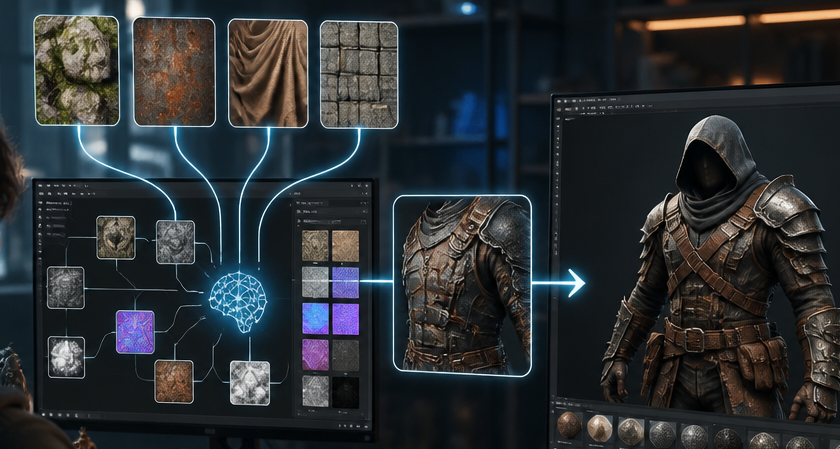
The 3D design landscape is undergoing a massive shift. For years, texturing a 3D model was one of the most time-consuming phases of digital art creation. Artists had to manually UV unwrap complex meshes, draw textures, and fine-tune material channels to get realistic surface details. Today, generative artificial intelligence is streamlining this workflow, enabling designers, game developers, and 3D printing enthusiasts to turn complex texturing processes into effortless tasks.
Meshy is one of the leading AI 3D model generators pushing this frontier forward, equipping creators with automated tools that bridge the gap between imagination and ready-to-use digital assets.
The Challenge of Traditional 3D Texturing
In standard 3D asset creation, producing a detailed surface material demands deep technical knowledge. A traditional pipeline typically requires:
- Manual UV Unwrapping: Stretching a 3D surface into a 2D map without distortion.
- Layer-by-Layer Material Painting: Painting diffuse, roughness, metallic, and normal maps individually.
- Iterative Adjustments: Constantly tweaking values to achieve realistic light interaction under different render setups.
For indie game developers and small studios working under tight deadlines, spending hours on surface maps per model creates a significant bottleneck. Advanced AI algorithms streamline this process by analyzing geometry and automatically generating detailed, context-aware surface materials. Using modern texture generation AI tools, creators can generate production-ready PBR (Physically Based Rendering) maps simply by describing their creative vision in plain text or providing visual reference images.
Key Features of Next-Generation AI 3D Platforms
Modern platforms provide a full suite of features designed for speed, flexibility, and high precision across diverse project types:
- Text-to-3D Generation: Generate base 3D models directly from detailed prompt descriptions.
- Image-to-3D Conversion: Upload photos or concept art—including multi-image input for higher spatial accuracy—to generate textured 3D meshes.
- Automated Auto-Rigging: Instantly add skeletal rigs to character models for fast animation.
- Developer API Access: Integrate automated 3D and texturing pipelines directly into custom studio applications.
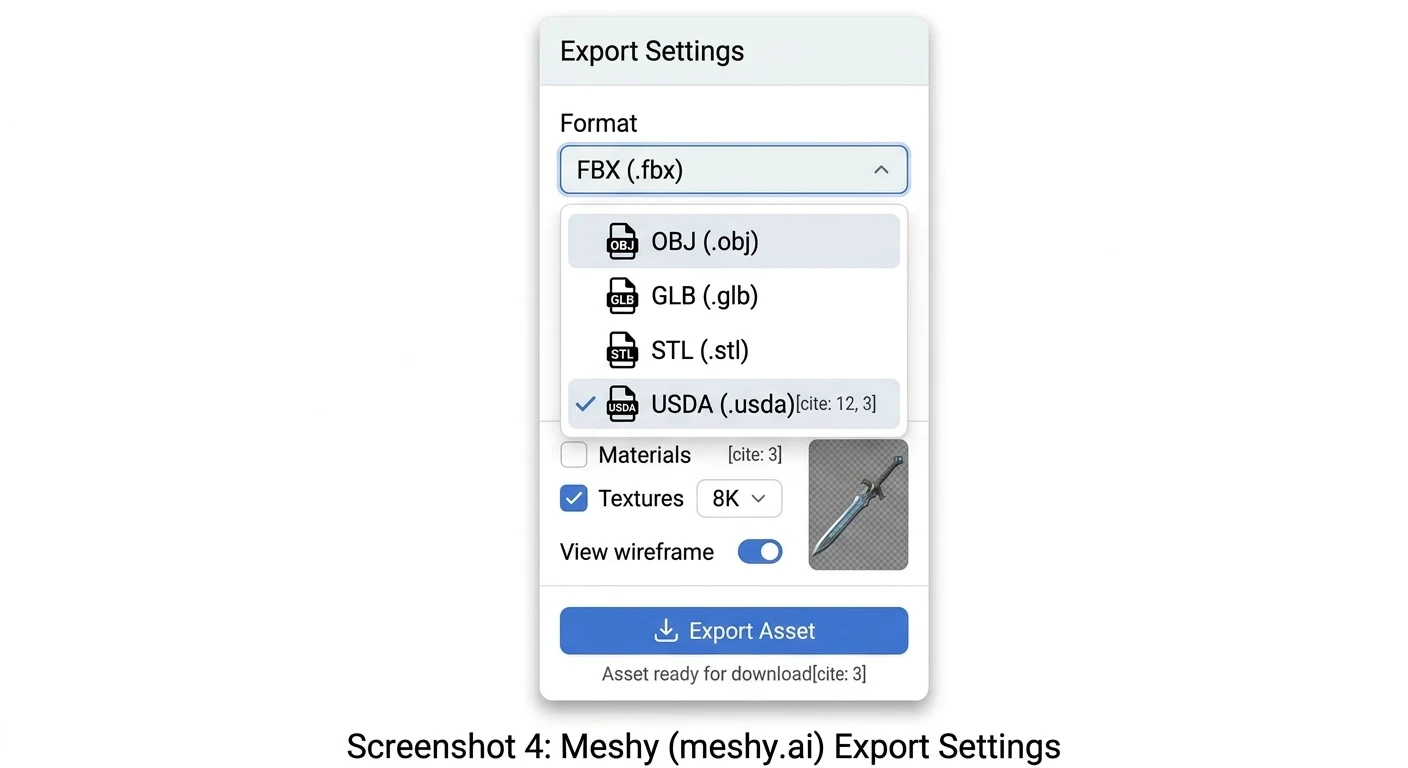
- Comprehensive Export Formats: Export final assets into widely supported industry formats, including STL, OBJ, GLB, and FBX.
- Free Browser-Based Tool Kit: Access an entire ecosystem—including online 3D viewers, file converters, and STL repair tools—directly inside a web browser with a free tier option available.
Step-by-Step: Generating Custom 3D Asset Textures with AI
Using a fully browser-based suite simplifies asset creation into a few clear steps:
Step 1: Prepare or Import Your Base Mesh
Start by generating a new mesh using Text-to-3D or upload an existing untextured 3D model file (such as OBJ or FBX) into the online workspace.
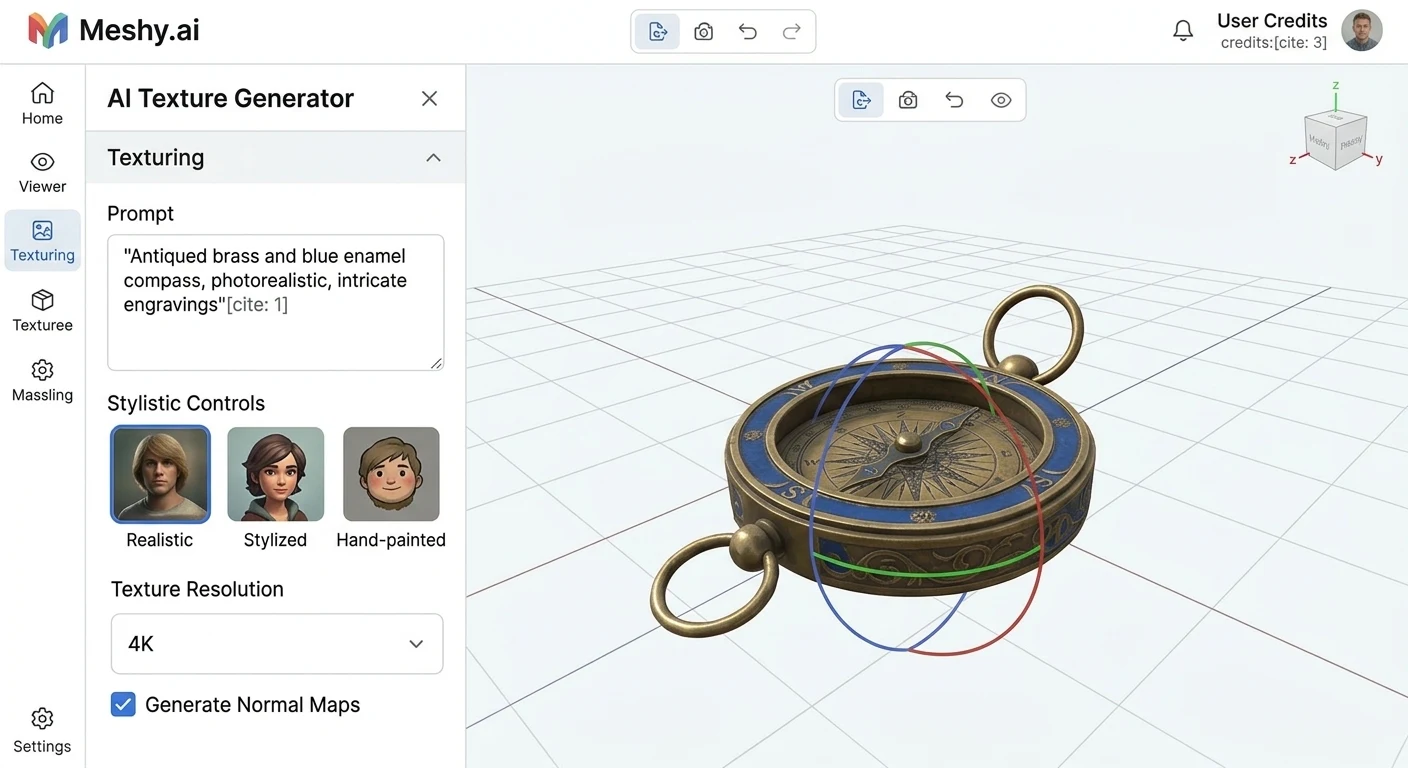
Step 2: Define Texturing Prompts and Style Controls
Enter text descriptions detailing the desired material style, surface wear, and realistic details (e.g., "weathered leather armor with brass buckles and worn edge details"). You can also select artistic style presets like stylized, hyper-realistic, or hand-painted.
Step 3: Generate and Inspect PBR Material Maps
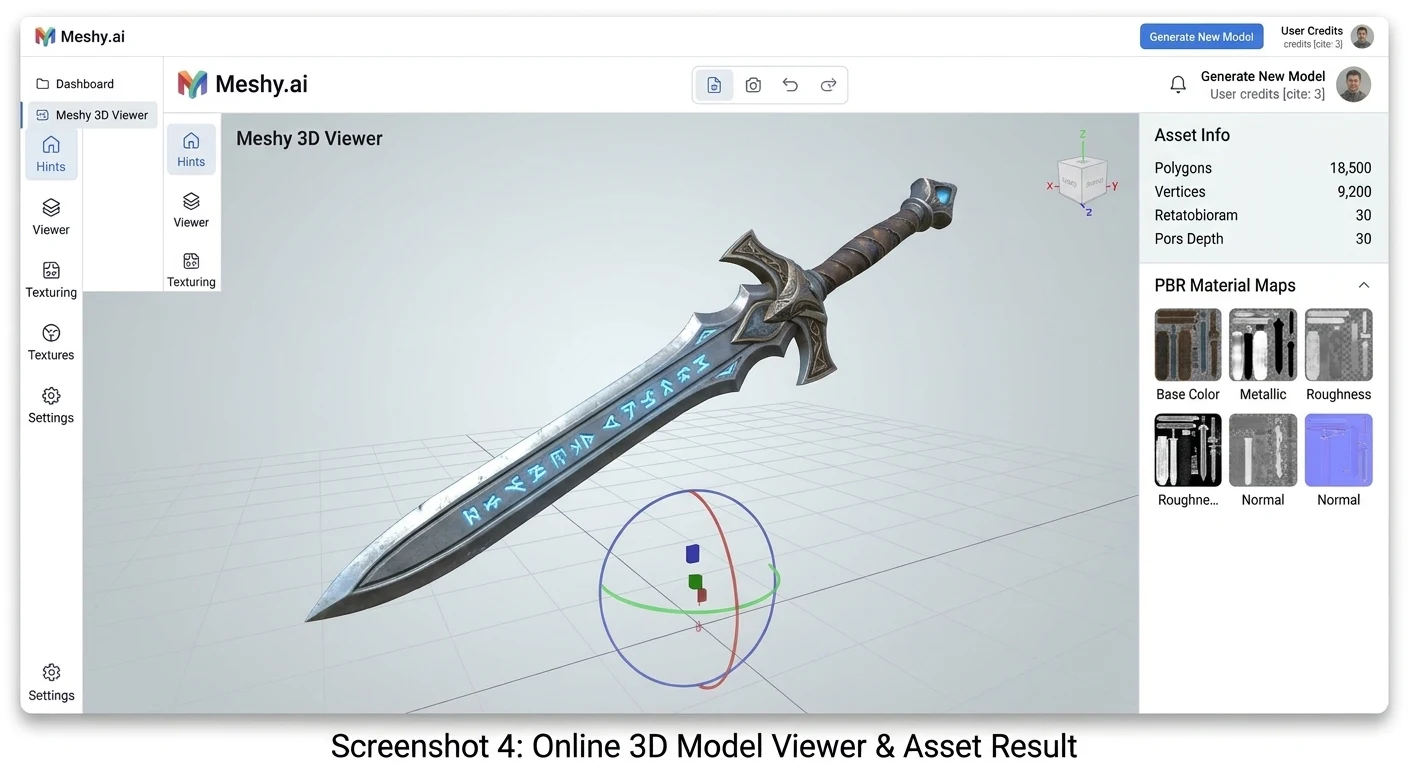
The AI processes the mesh geometry and generates complete material map sets. Utilize the free online 3D viewer tool directly in your browser to inspect how light reacts with the surface maps from every angle.
Step 4: Export to Your Production Pipeline
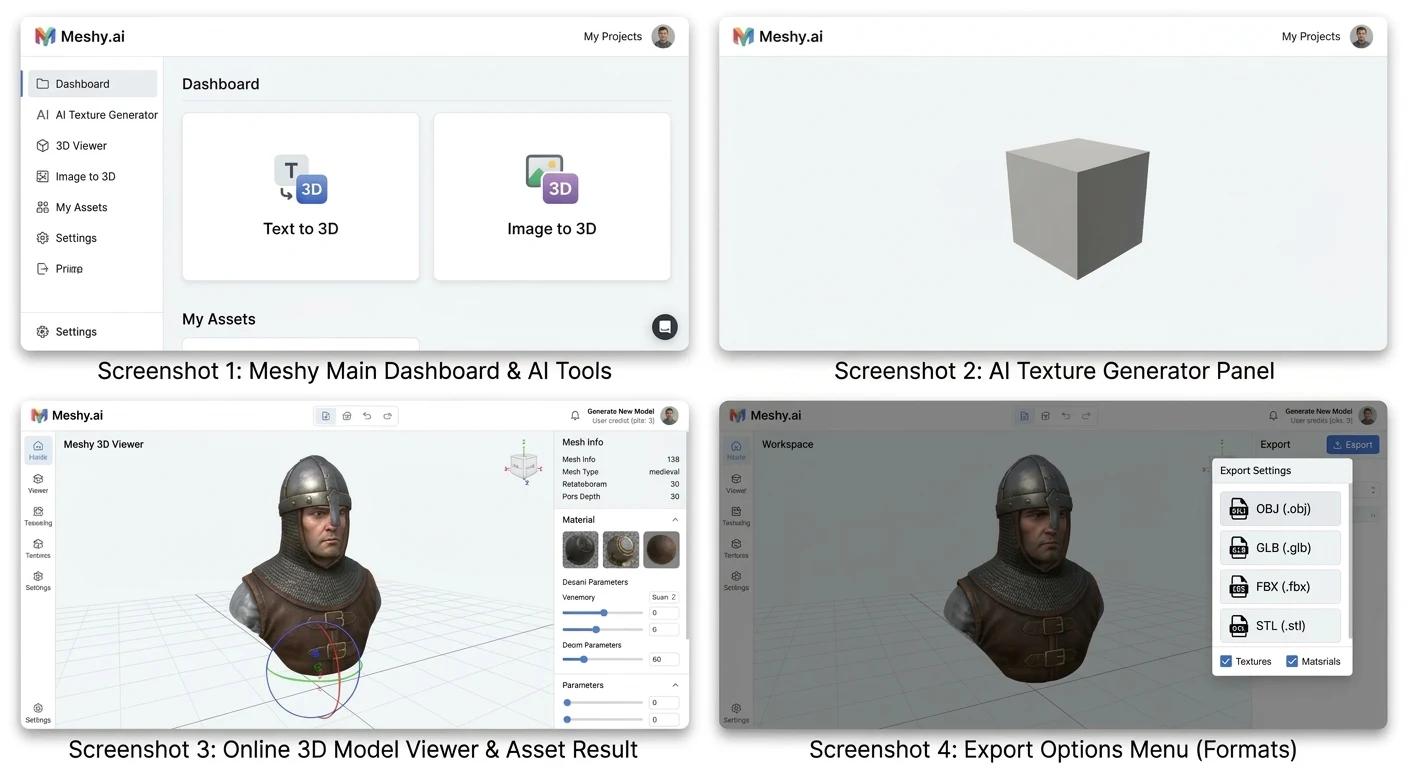
Once satisfied with the generated textures, export the fully mapped 3D asset in your desired file format (such as GLB for web apps or FBX for game engines like Unreal Engine and Unity).
Frequently Asked Questions (FAQ)
What formats can I export after generating 3D models and textures?
Assets can be exported in industry-standard formats including STL (ideal for 3D printing), OBJ, GLB, and FBX (ideal for game development and animation software).
Do I need to install heavy desktop software to use AI 3D tools?
No. The entire workspace operates as a fully browser-based platform, allowing you to generate models, edit textures, and repair files without downloading heavy installations.
Can developers integrate AI 3D model generation into custom applications?
Yes. API access is available for developers looking to automate mesh creation and material generation inside custom software pipelines.













Comments