>>
Technology>>
It service>>
How IT Asset Management Soluti...How IT Asset Management Solutions Boost Full Hardware Visibility
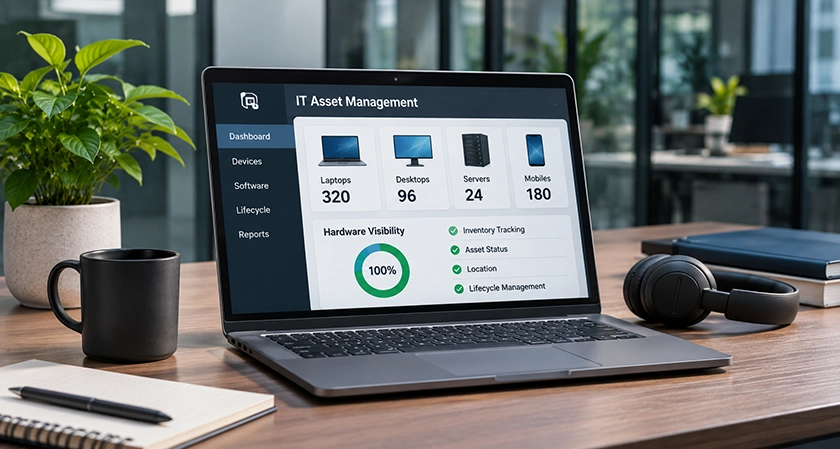
A laptop assigned to a remote employee can become difficult to track if its location or assignment is not updated in the inventory. The same problem applies to spare monitors, network equipment, and devices awaiting disposal. Hardware visibility means knowing what an organization owns, where each device is, and who is responsible for it. A dependable inventory also records when information was last checked. Building that picture starts with a consistent record for every asset.
Build a Usable Hardware Record
A shared inventory gives teams a common place to find and update device information without switching between disconnected spreadsheets. In practice, IT asset management solutions support this work when staff enter consistent information and update it as devices are purchased, assigned, transferred, or retired. Each record needs an identifier that distinguishes one physical item from another. Without clear ownership of updates, even a well-organized inventory becomes unreliable.
An asset tag or serial number provides a starting point for identifying and verifying each device. Teams should also capture the device type, assigned person or department, location, and current status. A purchase date and warranty end date, when available, add context for replacement planning.
Find Devices Outside the Inventory
Network discovery can identify connected devices, but it does not provide a complete inventory by itself. A powered-off laptop, equipment in storage, or a device used away from the network can escape a scan.
Teams should compare discovery results with purchasing records, assignment records, and physical checks. An unmatched device needs investigation, while a listed device with no recent confirmation needs a follow-up.
The comparison also exposes duplicate records. Before merging them, staff should verify the serial number or asset tag and preserve any useful history. A record should show when and how the device was last confirmed.
Track Ownership and Location Changes
An inventory loses accuracy when a device changes hands, but it's record stays the same. A laptop loaned to a contractor, for example, needs a named custodian and a return process. Without these details, IT teams may struggle to locate the device or determine who is responsible for returning it.
Teams can attach record updates to routine handoffs. When a device moves, the person responsible records the new custodian, location, and effective date. A check when an employee leaves can identify equipment that still needs to be returned.
For shared devices, a department or site can hold responsibility instead of an individual. Someone still needs authority to confirm the device's location and resolve discrepancies.
Connect Devices to Support History
Hardware records become more useful when they point to related support tickets and maintenance notes. A technician investigating repeated failures can check whether the same device has required previous repairs.
The inventory can also record relationships between equipment, such as a server and the storage device it depends on. Those links give support staff context when a component fails, or a change is planned.
Record relationships only when someone can verify and maintain them. An outdated dependency can mislead technicians during troubleshooting and delay resolution. Teams should review these links after equipment changes and during scheduled inventory checks.
Plan Replacement and Secure Disposal
Lifecycle status tells teams whether hardware is in storage, active, under repair, or retired. Consistent status labels make it easier to find unused equipment before purchasing replacements.
Warranty dates and maintenance history also help teams plan ahead. A device with recurring faults deserves a closer review than one with the same purchase date and no repair history.
Retirement needs its own record. Staff should document the disposal method, responsible person, and completion date, along with evidence that data handling followed organizational policy. The asset should remain in the inventory's historical records, clearly marked as retired and unavailable for reassignment.
Review Gaps and Assign Follow-Up
Visibility depends on the quality of the records, not the number of entries. A team should regularly review missing owners, unknown locations, duplicate identifiers, and devices that have not been confirmed recently.
Each exception needs an assigned person and a resolution. For instance, a device found during a physical check should be matched to a record or added after its ownership is established.
Inventory reports are more useful when teams can trace an entry to its last update. Restrict editing rights to appropriate staff, and keep a change history where available so incorrect updates can be investigated and corrected.
Conclusion
A hardware inventory is most useful when teams treat it as an ongoing record rather than a one-time count. Initially, it's appropriate to select one location, compare its physical devices with existing records, and investigate every mismatch. The review will expose ownership gaps and update procedures before they spread across the organization. Once those gaps are resolved, the same process can be repeated across other locations. Assigning someone to maintain and verify the records will help preserve that visibility as equipment moves through its lifecycle.













Comments