>>
Technology>>
Software>>
Top 5 Best 3D Printing Softwar...Top 5 Best 3D Printing Software Tools for Engineers and Designers
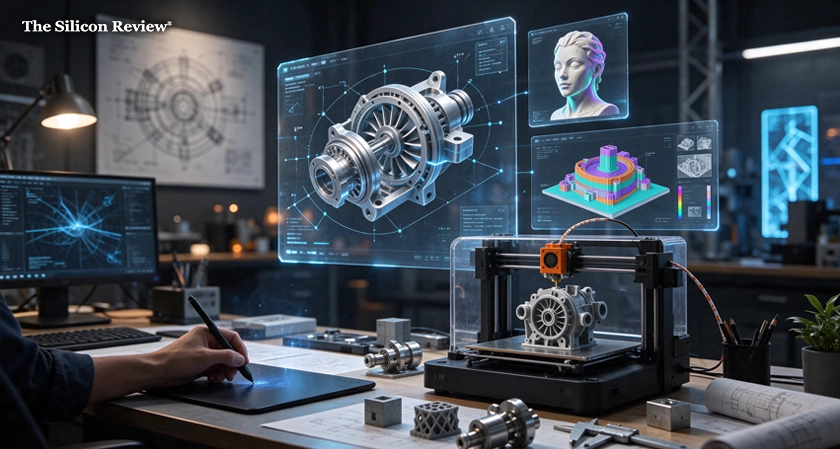
As the 2026 is coming to an end, don’t do the same mistakes in 2027 that you were doing continuously in choosing the best 3D printing software for your digital ideas to turn into reality. The top 5 best 3D printing software tools for engineers and designers are Autodesk Fusion, SOLIDWORKS for Makers, Shapr3D, Blender, and Orca Slicer. These software in the list covers every step of additive manufacturing process, from precise G-code slicing to organic surface sculpting and parametric modeling. Software stack plays a major role in whether a part prints successfully on the first try or fails because of non-manifold geometry, poor tolerance clearances, or optimized toolpaths.
According to reports released by Research and Markets, the global market of 3D printing CAD software is expected to be double from USD 14 billion in 2025 to USD 29.68 billion by 2030 at a compound yearly growth rate of 15.10%. According to 36Kr industry data, 3D printer sales expected to reach 3.62 million units by the first half of 2026. Hardware adoption is accelerating, making proficiency with both 3D modeling and 3D slicing software crucial for modern-day product development.
The Silicon Review’s global list of the top 5 best 3D printing software tools for engineers and designers will give you the exact idea of how to pick best 3D printing software tools for engineers and designers in 2027.
What is 3D Printing Software Tool?
Any computer program that creates, fixes, prepares, or controls a digital 3D model so that a physical 3D printer can construct it, is considered a 3D printing software tool. These tools convert graphic concepts into consecutive mechanical operations because conventional image or design files cannot be directly read by a printer.
The Four Main Types of Tools
- 3D Modeling Software (CAD) - This tool allows users to modify imported designs and create digital 3D objects from scratch. Such as Blender for creative modeling, Autodesk Fusion for mechanical components, and Tinkercad for amateurs.
- Mesh Repair Software - This technology ensure the object is fully solid before printing by fixing structural flaws in a 3D file, such as small holes or twisted edges. These examinations are handled by programs like Meshmixer, or the integrated Windows 3D Builder.
- Slicing Software (Slicer) - Slicers are crucial interpreters that provide G-code (movement instructions) for the printer by cutting a 3D object into hundreds of flat, horizontal layers. Bambu Studio, PrusaSlicer, and UltiMaker Cura are well-known free slicers.
- Control Software & Printer Host - This software program allow you to start, pause, and track projects by connecting your phone or computer to the 3D printer over USB or Wi-Fi. Users can monitor progress and change temperatures remotely with tools like OctoPrint or brand-specific smartphones apps.
How The Silicon Review Selected The Top 5 Best 3D Printing Software Tools
According to The Silicon Review’s research team, selecting the best 3D printing software tools requires matching the correct modeling and slicing tools to your geometric specifications, licensing regulations, and printer hardware. Instead of depending on single software, most of the engineering and design teams pair one 3D modeling tool with one 3D slicing tool. The Silicon Review’s team provided five criteria while selecting the top 5 best 3D printing software tools for engineers and designers;
- Geometry Control and Modeling Precision
- Slicing Intelligence and Print Optimization
- Error Prevention and Simulation
- Ecosystem Integration and File Compatibility
- Cost, Scalability, and Workflow Efficiency
We focused on every essential factor around 3D design software to curate the global list of the top 5 best 3D printing software tools for engineers and designers. We kept our methodology section very clear so that you can get clear view of best 3D printing software.
Best 3D Printing Software at a Glance: Quick Comparison
|
Software |
Primary Role |
Best For |
Starting Price (2026) |
Commercial Use Allowed? |
Platforms |
|
Autodesk Fusion |
Parametric Role CAD & CAM |
End-to-End product design and mechanical parts |
Free (Personal) $680/year (Commercial) |
Paid Plans Only ($1000/Year Cap on Free) |
Windows, MacOS |
|
SOLIDWORKS for Makers |
Engineering CAD |
Complex Multi-Part Mechanical Assemblies |
$48/Year or $15/Month |
No (Strictly non-commercial) |
Windows, Browser |
|
Shapr3D |
Direct & Parametric CAD |
Rapid Industrial Design and Stylus Workflows |
Free (Basic) or $299/Year (Pro) |
Yes (Pro plan) |
Windows, MacOS, iPadOS |
|
Blender |
Mesh & Sculpting |
Organic Forms, Ergonomics, and miniatures |
Free (Open-Source) |
Yes (GNU GPL License) |
Windows, MacOS, Linux |
|
Orca Slicer |
3D Slicing & Calibration |
Precision G-Code Generation and Printer Tuning |
Free (Open-Source) |
Yes (AGPL-3.0 License) |
Windows, MacOS, Linux |
Top 5 Best 3D Printing Software Tools for Engineers and Designers
1. Autodesk Fusion
Autodesk Fusion ranks No. 1 in the list of The Silicon Review’s Top 5 Best 3D Printing Software Tools for Engineers and Designers. Autodesk Fusion offers the best end-to-end 3D design solution for hardware engineers and designers, who looking to integrate parametric CAD, simulation, and additive manufacturing preparation on a single cloud-connected platform without managing separate tools. According to G2 software adoption data, 69% of Autodesk Fusion users are independent designers, engineers, and small businesses, that shows the dominance around the world.
- Pricing - Free Tier Available for Personal Use / Commercial Plans Starting at $680/Year
- Key Features - Real-time cloud version control, generative design tools, an integrated 3D print utility with custom mesh refinement, and parametric timeline modeling.
- Limitation - While business upgrades require an annual membership that scales per seat, a free tier is available for eligible amateurs, but it imposes a $1000/Year revenue cap and restricts users to only 10 active editable documents.
2. SOLIDWORKS for Makers
SOLIDWORKS for Makers ranks No. 2 in the list of The Silicon Review’s Top 5 Best 3D Printing Software Tools for Engineers and Designers. SOLIDWORKS for Makers continues to be industry best for engineers working on tight-tolerance enclosures, gear trains, and complex multi-part systems. By 3D EXPERIENCE SOLIDWORKS for Makers program, independent designers, engineers, and fast-growing small businesses, gets the access of the same parametric solid modeling engine used by enterprise aerospace and automotive teams.
- Pricing - The License Costs $24USD/Year or $15USD/Month (Excluding Taxes)
- Key features - Real-time collision detection for intricate mechanical parts, sheet-metal bending calculation, and advance assembly mating tools.
- Limitations - Strictly licensed for non-commercial, personal projects (Commercial production needs a regular commercial license), and a Window PC is needed for local installation.
3. Shapr3D
Filling the gap between high-quality technical precision and simple commercial modeling, Shapr3D ranks No. 3 in the list of The Silicon Review’s Top 5 Best 3D Printing Software Tools for Engineers and Designers. Shapr3D blends historical parametric modeling techniques with an easy-to-use interface. It is powered by the industrial Siemens Parasolid geometric modeling kernel, which is the same mathematical foundation as high-end enterprise CAD solution. Too change mechanical dividers, ribs and wall thicknesses, commercial designers and engineers can quickly view the synchronized model on windows or MacOS desktop after sketching preliminary product outlines.
- Pricing - Free Tier Available for Personal Use / Commercial Plans Starting at $299USD/Year/User
- Key Features - Significantly easier learning process than conventional CAD while preserving solid geometry that is mathematically satisfactory on both desktop and tablet.
- Limitations - For high-precision curved prototypes, the pro tier is required because the free plan limits export resolution to low poly .STL
4. Blender
Blender ranks No. 4 in the list of The Silicon Review’s Top 5 Best 3D Printing Software Tools for Engineers and Designers. Prismatic brackets and mechanical assemblies are the components where parametric CAD stands out, but organic curves, ergonomic grip textures, and sculptural forms are the components where it falls short. Before 3D printing, commercial designers and engineers frequently load CAD shells into Blender to create intricate lattice textures, organic handles, or unique surface knurling.
- Pricing - 100% Free and Open-Source / Full commercial rights without revenue caps or royalties
- Key Features - Computational geometry nodes for surface texturing, unparalleled freeform sculpting brushes, and no license limitations.
- Limitations - Missing parametric dimension history and negligent mesh sculpting can quickly result in zero-thickness walls or self-intersecting faces that break during slicing.
5. Orca Slicer
Orca Slicer ranks No. 5 in the list of The Silicon Review’s Top 5 Best 3D Printing Software Tools for Engineers and Designers. Without effective slicing, even a perfect CAD model will not work. Orca Slicer serves as a vital link between design software and actual hardware by converting .3MF and .STL models into precision machine G-code. Today engineers using Bambu Lab, Prus, Voron, Creality, and custom Klipper-based machines prefer Orca Slicer which was cloned from Bambu Studio and PrusaSlicer.
- Pricing - 100% Free and Open-Source under the GNU Affero General Public License v3.0 (AGPL-3.0) through the official OrcaSlicer GitHub repository.
- Key Features - Advanced Archne Variable-width wall generations, native .STEP file import, and built-in calibration generators (Flow rate, pressure advance, and tolerance tests).
- Limitations - First time users who only require one-click defaults may become overwhelmed by the high density of granular print parameters.
The Way Forward
Aligning your design geometry and licensing requirements with the entire production cycle is ultimately the key to choosing the best 3D printing software. Pairing the parametric CAD Software like Autodesk Fusion, SOLIDWORKS for Makers with Orca Slicer ensures interference checks, trustworthy .3MF or .STEP print preparation, and tight tolerances for engineers. On the other hand, Blender’s unlimited, open-source sculpting flexibility or Shapr3D’s quick cross-device speed are advantage for designers and small business. Engineers and designers may reduce expensive mesh defects, speed up quick testing, and transform digital thoughts into real parts that are ready for production by connecting a precision slicer with a dedicated modeling platform.
FAQs:
Q: Which one is the best 3D printing software for engineers and designers?
A: Autodesk Fusion ranks No. 1 in the list of The Silicon Review’s Top 5 Best 3D Printing Software Tools for Engineers and Designers.
Q: What is the best CAD software for 3D printing for functional parts?
A: The best CAD options for producing useful 3D prints are Autodesk Fusion and SOLIDWORKS for Makers.
Q: What are the functions Autodesk Fusion and SOLIDWORKS for Makers offer users?
A: Both provide precise dimensional limits, parametric timeframes, and assembly interference checks to guaranty that mechanical components fit together precisely off the build plate.
Q: Do I need both 3D modeling software and slicer for 3D printing?
A: Yes. The 3D geometry of your product is created using 3D modeling software (such as Fusion, Shapr3D, or Blender), and the G-code instructions your 3D printer requires to move and extrude material are created by slicing software (such as Orca Slicer), which splits the model into horizontal layers.
Q: Which file format is better for 3D printing?
A: .3MF (3D Manufacturing Format) is better than .STL (Standard Triangle Language).
Q: What is the best free 3D printing software for commercial use?
A: Under open-source GNU licenses, Blender (for organic modeling and sculpting) and Orca Slicer (for slicing) are totally free for commercial use. FreeCAD is the top open-source option for free commercial parametric CAD without revenue caps.













Comments