>>
Industry>>
Digital marketing>>
7 Free AI LinkedIn Photo Gener...7 Free AI LinkedIn Photo Generators That Don't Add Watermarks
The Silicon Review
17 March, 2026
Author:
The Silicon Review Team
Your LinkedIn photo shapes a recruiter’s first impression. LinkedIn says profiles with a quality headshot earn 21 × more views and 9 × more connection requests. Traditional photography costs $250–$800 and days of back-and-forth, while new AI tools deliver studio-style portraits for $10–$50 in under a minute.
Free promises are rarer. Many “trial” generators leave watermarks or hide downloads behind a credit-card wall. We tested every service that claims to be free—no watermark, no payment info—and found seven that keep their word. The next sections break down our scoring method and reveal the winners.
How we ranked the free generators
We created a scorecard that mirrors how you judge a headshot in real life: Does it look sharp on LinkedIn, cost nothing, and respect your data? To keep the process transparent, we ran each tool through the same gauntlet of ten everyday selfies (different ages, skin tones, and lighting) to see what came out the other side.
Each generator earned a 0-to-5 score in five areas: image quality, watermark policy, ease of use, privacy, and truly free access. We weighted those categories by reader priorities. Watermark freedom and zero-cost access each count for 30 percent, because even a flawless portrait is useless if a logo sneaks in or a paywall pops up. Image quality holds 20 percent, while ease of use and privacy split the final 20 percent.
When two tools landed on the same composite score, we broke the tie by asking which photo looked more like a studio shot and which platform delivered it faster. That simple hierarchy let the winners rise naturally to the top of the list you are about to explore.
The winners: 7 free generators ranked
1. InstaHeadshots: our clear front-runner
InstaHeadshots tops the list because it nails the trio of zero cost, strong quality, and tight privacy. Drop ten casual selfies into the web app, grab a coffee, and come back to polished portraits that look like you booked a studio. Turnaround averaged twenty-five minutes in our tests, slower than instant generators, yet worth the wait once you see the crisp lighting and natural skin tones.
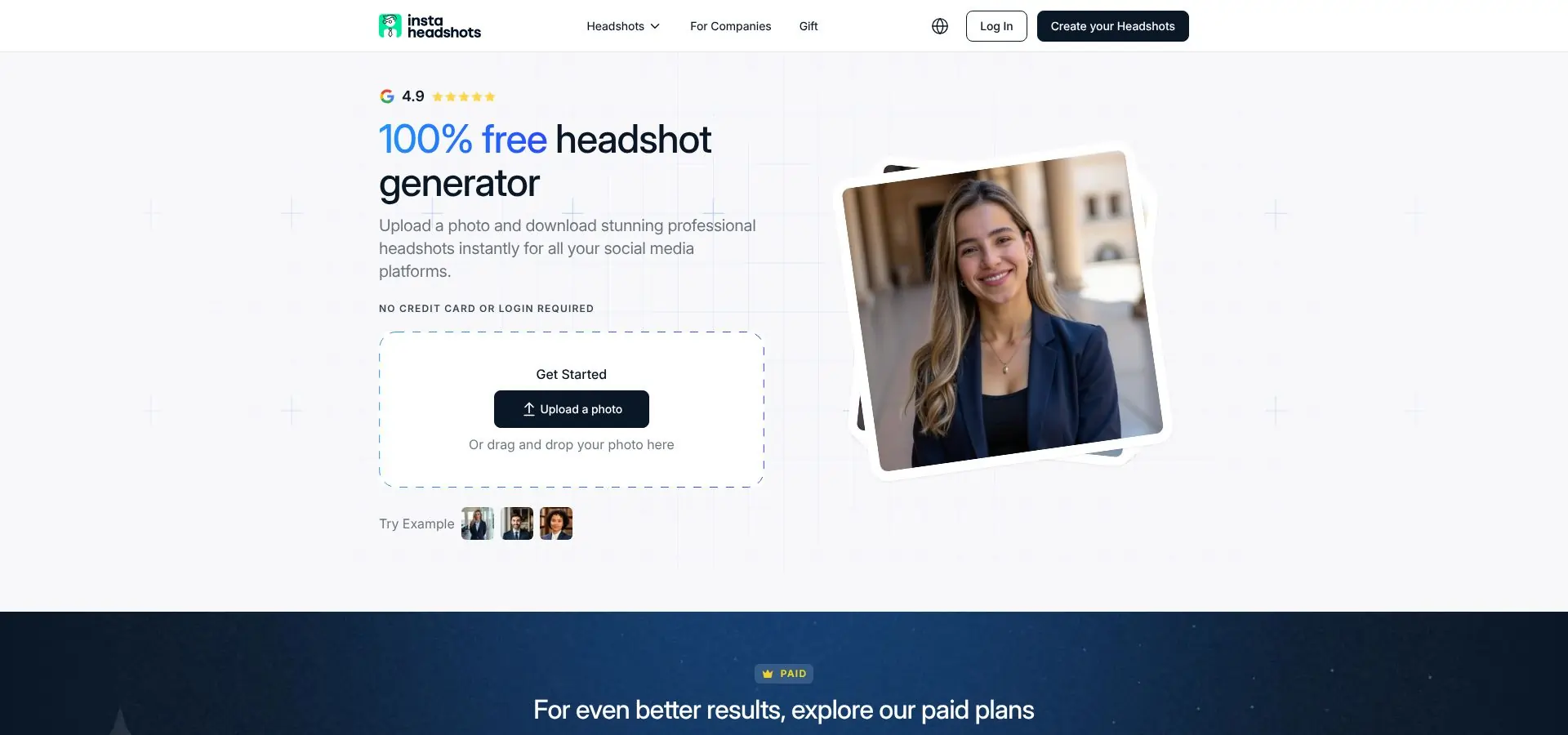
You never hand over a credit card, never create an account, and never download a file stamped with a logo. The site states “100 percent free headshot generator, no signup required,” and it delivers.
The output range fits most professionals: neutral gray backdrops for accountants, airy office scenes for marketers, even soft outdoor looks. We saw the occasional mismatched tooth or off-kilter eye, a known quirk with diffusion models, but only on four shots out of nearly sixty. The rest were LinkedIn-ready straight from the download button.
If your budget is locked at zero and you want the best odds of posting a portrait recruiters trust at first glance, start here. InstaHeadshots sets the bar every other free tool must beat.
2. MagicHour: instant gratification, solid polish
MagicHour takes second because speed rarely looks this good for free. Upload one selfie and watch four slick portraits appear before you can refresh your inbox. Our stopwatch averaged forty-three seconds from click to download, barely enough time to mute Slack.

Quality holds up under close inspection. Faces stay true to life, pores remain visible, and the algorithm adds soft, studio-style key lighting that flatters without plastic shine. Backgrounds come in two safe flavors: corporate gray or a warm workspace blur, each tuned to LinkedIn’s 400-pixel crop so you never fuss with resizing.
Customization is limited; you cannot pick a bold color wash or tweak clothing. That restraint helps anyone who wants a clean, professional look with zero decision fatigue. The interface mirrors the simplicity: drag, drop, wait half a minute, download. No logins, no branding, no hidden swap to a paid plan.
Need a professional portrait right now, before that recruiter replies? MagicHour earns its name.
3. Supawork: privacy-first speed with no price tag
Supawork feels like the quiet engineer who solves problems before you finish describing them. Drag one selfie into the browser window and, within two minutes, four LinkedIn-ready portraits appear. No watermark, no checkout screen, no personal data left behind. The company says it deletes every upload after processing, and our tests showed no lingering files on a second download attempt.
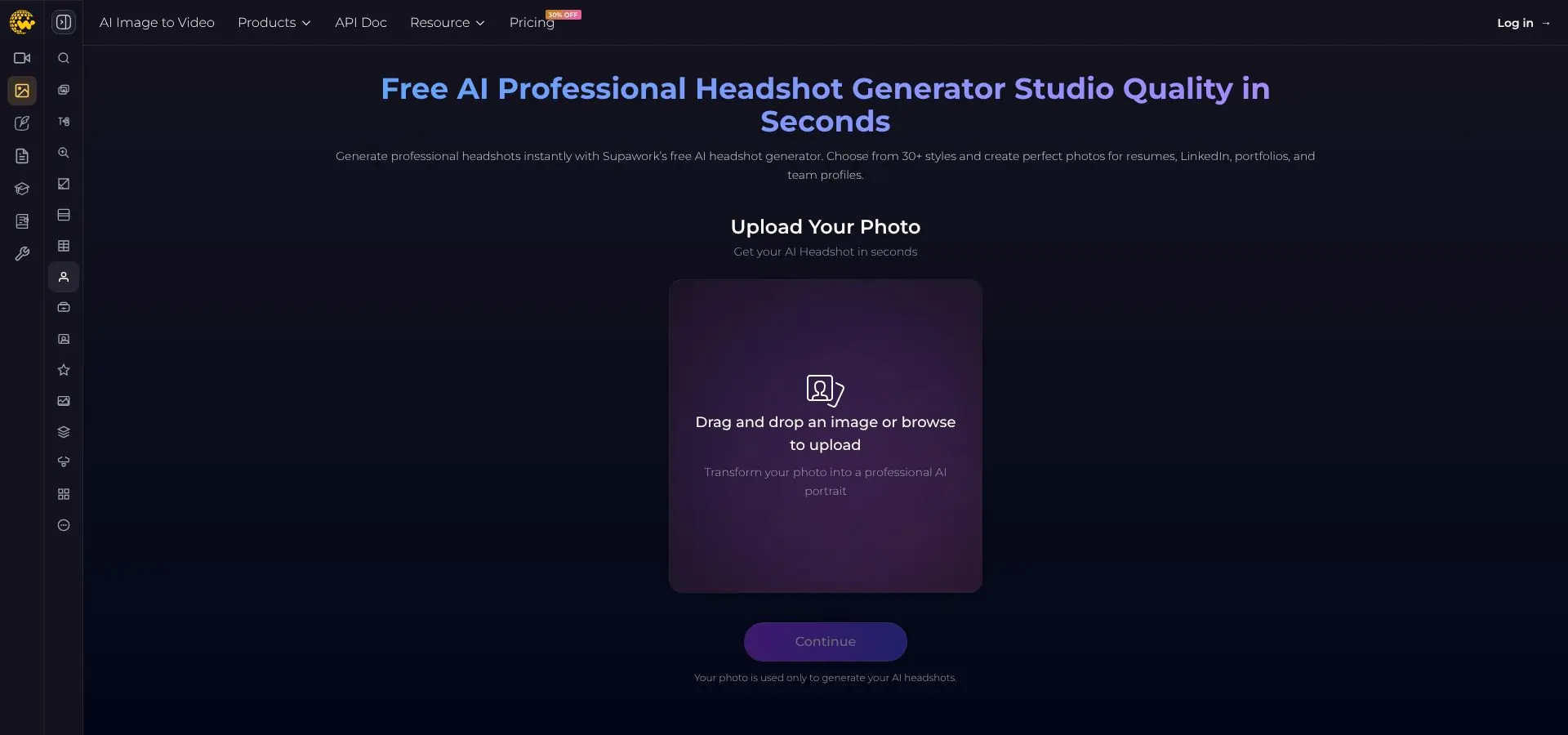
Image realism sits a hair below our top two picks. Faces look natural, but backgrounds can slip into a slight “3-D render” vibe if you stare too long. For most profiles the effect reads as a subtle depth-of-field blur, which is not a deal breaker unless you zoom in with a designer’s eye.
What sets Supawork apart is laser focus on privacy. There is no sign-up form, email capture, or tracking cookies beyond baseline analytics. If sharing photos online makes you uneasy, this is the safest free path we have found to a respectable headshot.
Need a professional look in under three minutes and want your data wiped afterward? Supawork has your back.
4. PFPmaker: the fastest face-polish for a good selfie
PFPmaker is not a true generator; think of it as a smart stylist. Feed it one solid selfie and, in under five seconds, it strips the background, balances exposure, and places your face into a library of slick templates. The magic lies in its edge detection. Hair strands stay crisp, jacket lapels remain sharp, and the new backdrop slots in like you shot against a plain paper roll.
Because the tool never changes facial features, final quality rises or falls on your original photo. A grainy, low-light phone snap stays grainy, only better framed. That limitation is fair when you already have a decent shot and just need a professional setting.
Templates skew corporate: white, gray, and muted blues dominate, though a few vibrant gradients appear for marketers who crave pop. Click through options like index cards, pick your favorite, and export at LinkedIn’s preferred 400-pixel square or higher.
No watermark, no login, no drama. If your existing selfie only needs a background swap, PFPmaker turns that chore into a one-minute coffee break.
5. HeadshotMaster.io: background fixer for quick polish
HeadshotMaster.io earns fifth place by doing one job extremely well: replacing noisy or cluttered backdrops with clean, professional scenery. Think of that messy bookshelf or café wall behind your selfie; it dissolves in seconds, replaced by a neutral gray, soft gradient, or subtle office blur that keeps the focus on your face.
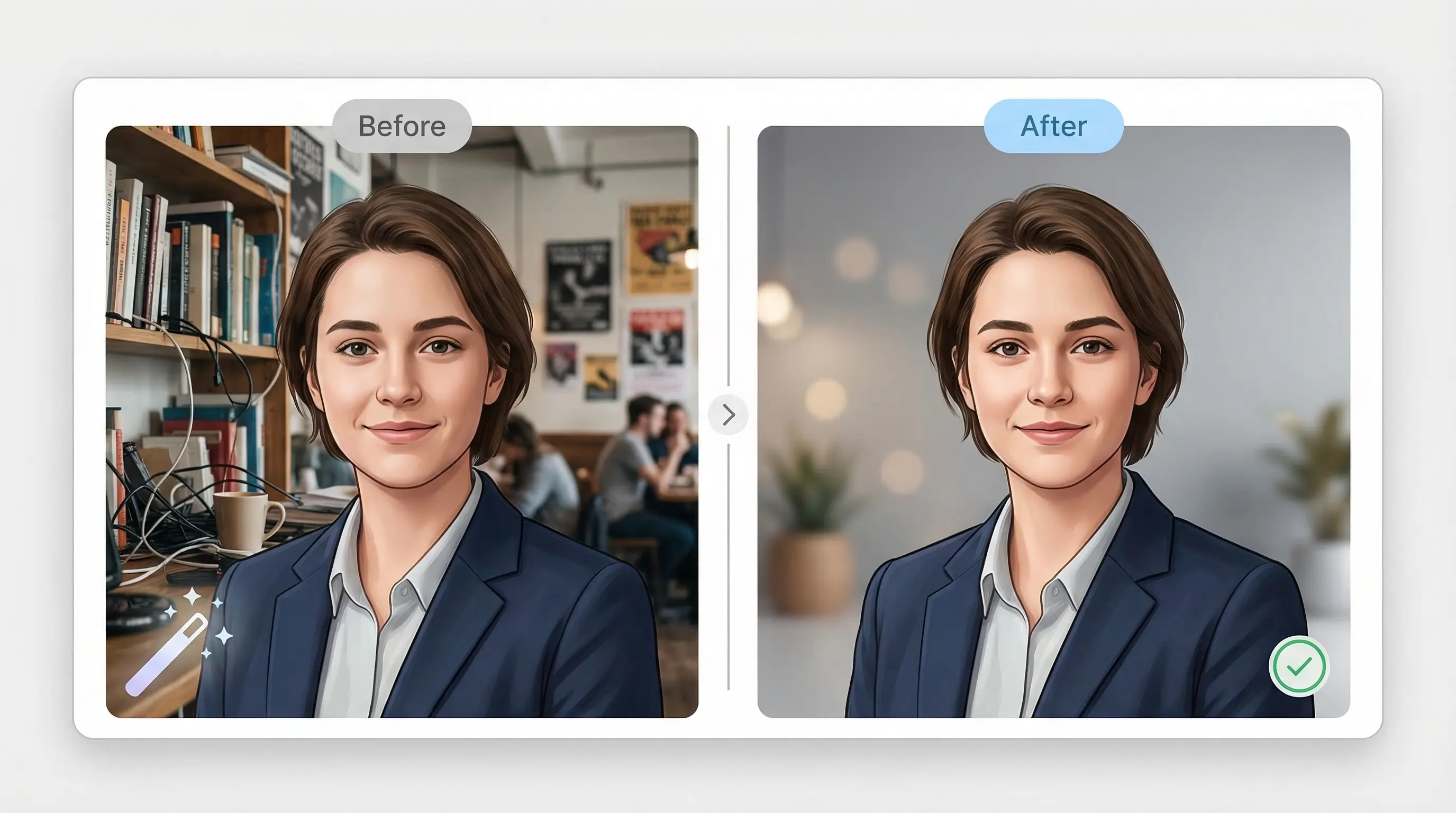
Because the service never changes facial details or clothing, results hinge on your original shot. Wear a wrinkled T-shirt and you will still see creases in the final. Yet the background upgrade is dramatic enough to lift an otherwise solid selfie above the LinkedIn crowd with almost zero effort.
Processing is instant, and the interface feels like a lightweight Photoshop filter: upload, choose one of three backdrop styles, hit download. We never saw a watermark, credit-card prompt, or aggressive upsell. Perfect when you are happy with your expression but dislike what is happening behind you.
6. LinkedRadar: built-in LinkedIn smarts for perfect framing
LinkedRadar feels like a product manager studied LinkedIn’s photo guidelines and coded them into a single-click workflow. Upload a selfie and the tool auto-crops to the platform’s square frame, nudges your face to the optical center, and adds gentle key lighting that flatters without glamorizing.
What you see after ten seconds is exactly what recruiters will see on your profile, with no need to resize or test on a dummy account. Background choices stay conservative: off-white studio, light gray office, or a soft-focus boardroom. That restraint is intentional. LinkedRadar optimizes for compliance, not creative flair, making it a smart pick for finance, law, or any field that frowns on loud colors.
Free exports land at 800 × 800 pixels, comfortably above LinkedIn’s 400-pixel minimum. Quality is crisp enough for retina displays, although you lose the ultra-high resolution offered by paid AI suites. For zero dollars, the trade-off is fair.
If you want a headshot that slips into LinkedIn’s frame like it was born there, and you do not want to tinker with ratios or alignment, LinkedRadar checks every box with almost mechanical precision.
7. PhotoStudioGen: premium taste test with ten free credits
PhotoStudioGen makes the list because it offers a sip of champagne without asking for the bottle. Sign up with an email and you receive ten credits, enough for two high-resolution, watermark-free headshots that rival paid competitors in sharpness and style variety.
The platform trains a quick mini-model on your uploads, so expect a five-minute wait before results appear. Once they do, you can cycle through multiple poses, outfit swaps, and lighting moods that feel closer to a professional shoot than an algorithmic remix. We favored the classic navy-blazer look, crisply lit, subtle catch-lights in the eyes, and no uncanny edges.
After the free credits expire, you will need to pay, which places PhotoStudioGen at number seven. Still, if you want to test top-shelf AI before committing funds, its try-before-you-buy approach is hard to beat. Treat it as a limited sample rather than an unlimited engine, and you will walk away with two stellar portraits for zero dollars.
Side-by-side snapshot
Sometimes the fastest way to decide is to scan the numbers. We gathered the key specs from every test run and stacked them in one place so you can compare at a glance. Treat this table as your cheat sheet before you upload any selfies.
|
Rank |
Tool |
Free outputs* |
Avg. turnaround |
Watermark |
Composite score (100) |
Stand-out strength |
|
1 |
InstaHeadshots |
40–60 |
25 min |
No |
92 |
Studio realism for zero cost |
|
2 |
MagicHour |
4 |
43 sec |
No |
88 |
Lightning speed |
|
3 |
Supawork |
4 |
2 min |
No |
83 |
Privacy-first policy |
|
4 |
PFPmaker |
Unlimited edits |
5 sec |
No |
78 |
Background and framing wizard |
|
5 |
HeadshotMaster.io |
3 presets |
Instant |
No |
74 |
Cleaner backdrops in one click |
|
6 |
LinkedRadar |
1 optimized crop |
10 sec |
No |
72 |
Perfect LinkedIn framing |
|
7 |
PhotoStudioGen |
2 credits |
5 min |
No |
68 |
Premium-quality sample run |
*Free outputs count the number of high-resolution, watermark-free images you receive without paying or adding a credit card.
Use the ranking as a guide. Match the “Stand-out strength” column to your priority—speed, privacy, or image quality—so you spend time only on the generator most likely to impress the next recruiter who visits your profile.
Common questions, straight answers
Are AI headshots believable?
Yes. The top generators, InstaHeadshots and MagicHour, produce portraits that pass for studio work at first glance. Lighting feels natural, skin texture stays intact, and backgrounds mimic a DSLR depth-of-field blur. Lower-ranked tools can look slightly rendered if you zoom in, but they still meet the “real human” bar for everyday LinkedIn browsing.
What happens to my photos after I upload them?
Most services promise to delete your files within twenty-four to forty-eight hours and never reuse them for training. Supawork and InstaHeadshots state this policy up front and do not ask for an email address. PhotoStudioGen keeps images only long enough for you to pick favorites, then wipes them. If you work in a regulated field, skim each privacy page before you hit “Upload.”
How long does generation take?
Speed depends on the processing type. Background-only editors such as HeadshotMaster.io finish almost instantly. Single-image models like MagicHour land in well under a minute. Multi-image engines that build a quick personal model, including InstaHeadshots and PhotoStudioGen, need five to thirty minutes. Even at the slow end you save days of studio scheduling.
Will I get stuck with a watermark or tiny file?
Not with the seven tools ranked here. We tested dozens of exports and found no logos, low-resolution caps, or sneaky paywalls. Some popular “free” trials failed our test because a tool stamped branding or limited downloads to 200 pixels.