>>
Technology>>
Artificial intelligence>>
How Runway AI Is Changing Vide...How Runway AI Is Changing Video Creation (And How to Try It Free)
The Silicon Review
30 April, 2026
Author:
Guest
Generative AI is no longer experimental—it’s quickly becoming a core part of how content is produced across marketing, filmmaking, and social media. Among the tools leading this shift, Runway AI stands out as one of the most advanced and widely adopted platforms available today.
In this guide, we’ll break down what Runway AI is, how it works, its key features, limitations, and how you can start using it effectively—even without paying upfront.
What Is Runway AI?
Runway AI is a generative AI platform designed for video creation and editing. It allows users to generate videos from text prompts, transform images into motion clips, and automate complex editing workflows that traditionally required professional software and technical expertise.
At its core, Runway combines multiple AI capabilities into a single interface:
- Text-to-video generation
- Image-to-video animation
- Video-to-video transformation
- AI-powered editing tools like background removal and motion tracking
The platform has evolved significantly in recent years, with models like Gen-3 and Gen-4 enabling more cinematic and realistic outputs. Today, it’s widely used by creators, marketers, and even production teams to accelerate video creation workflows.
Key Features That Make Runway AI Stand Out
1. Text-to-Video Generation
Runway’s flagship capability is turning text prompts into short video clips. You can describe a scene—anything from “a futuristic city at sunset” to “a cinematic drone shot over mountains”—and the AI generates a corresponding video.
This drastically reduces the time needed for ideation and prototyping. What used to take hours (or days) in editing software can now be done in minutes.
2. AI Video Editing Tools
Runway isn’t just about generation—it also excels at editing. Its AI-powered tools allow users to:
- Remove objects from videos
- Replace backgrounds without green screens
- Apply motion tracking and masking
- Add stylized effects automatically
These features can cut editing time by up to 60–80% for certain workflows, especially tasks like rotoscoping and compositing.
3. Image-to-Video and Animation
You can upload a static image and turn it into a moving scene. This is particularly useful for:
- Social media content
- Product visuals
- Concept art animation
It’s a fast way to bring still assets to life without needing animation skills.
4. Cinematic Control and Direction
Unlike many beginner-focused AI tools, Runway gives users a higher level of control. Features like motion brushes and camera direction tools allow you to guide movement within a scene.
This makes it especially appealing to:
- Filmmakers
- Creative directors
- Advanced content creators
5. Rapid Prototyping for Content
Runway shines as a “first draft engine.” You can quickly generate multiple variations of a video idea, test different styles, and iterate rapidly before final production.
This is particularly valuable in marketing environments where speed matters more than perfection.
A Smarter Way to Access Runway AI for Free
Here’s where most people miss a practical workaround.
If you want to test Runway AI without immediately committing to its pricing model, you can actually access it through Pollo AI.
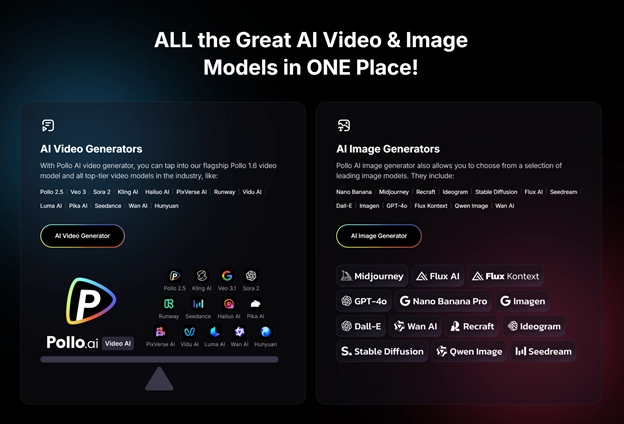
With a 4.4 trust score on Trustpilot, Pollo AI is one of the most popular AI content creation hub which integrates multiple AI video models into one single platform. This means you can:
- Try Runway-style video generation without managing separate accounts
- Compare outputs across different models
- Experiment more freely before scaling usage
It’s a more flexible entry point, especially if you’re still evaluating which AI video tool fits your workflow best.
Use Cases: Who Should Use Runway AI?
Runway AI is not for everyone—but in the right context, it’s extremely powerful.
1. Content Marketers
If you’re producing short-form content for TikTok, Instagram Reels, or ads, Runway helps you:
- Generate visual concepts quickly
- Test multiple creatives
- Reduce production costs
2. Filmmakers and Creators
Runway is one of the few AI tools that offers cinematic-level control. It’s ideal for:
- Storyboarding
- Visual experimentation
- Indie film production
3. Agencies and Creative Teams
For teams working on tight deadlines, Runway acts as a creative accelerator:
- Faster turnaround times
- Lower dependency on manual editing
- Scalable content production
4. Designers and Visual Artists
With features like style transfer and motion brushes, Runway is also a strong tool for:
- Concept art
- Experimental visuals
- Interactive media
Runway AI in 2026: Why It Matters
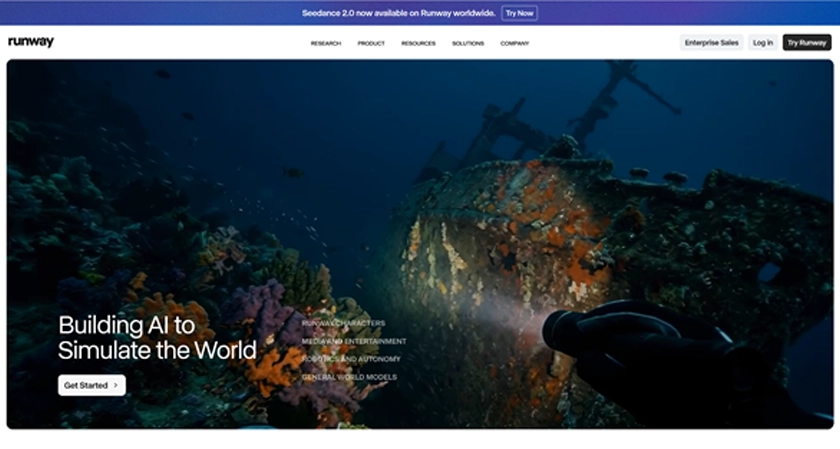
Runway isn’t just another AI tool—it’s part of a larger shift toward “video intelligence.” The company is actively expanding beyond video generation into broader AI systems, including so-called “world models” that simulate environments and physical behavior. They are also building an ecosystem around its technology, including funding programs and APIs for developers.
Runway is positioning itself not just as a tool—but as infrastructure for the future of visual content creation. If you approach it as a powerful creative assistant rather than a fully automated system, it becomes incredibly valuable.