>>
Technology>>
Software>>
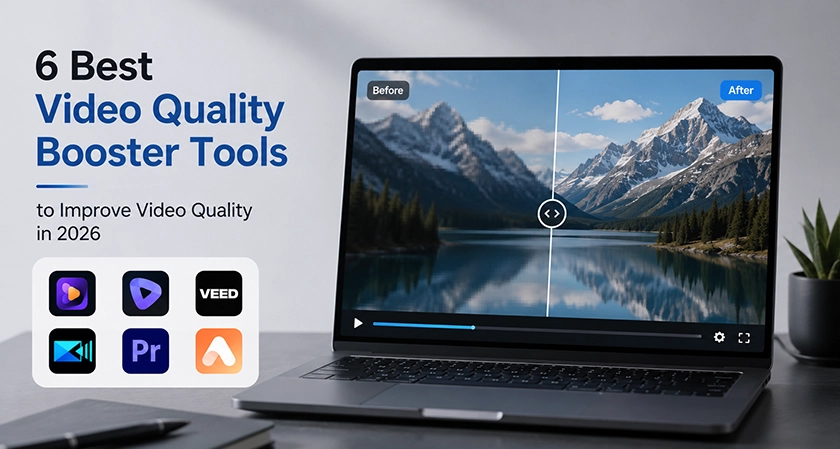
6 Best Video Quality Boosters ...6 Best Video Quality Boosters to Improve Video Quality in 2026
The Silicon Review
28 May, 2026
Author:
The Silicon Review Team
Many videos look blurry, dark, shaky, pixelated, or low quality because they were recorded on an old phone, compressed by social media platforms, downloaded from the web, or filmed in poor lighting conditions. A video quality booster is designed to solve these problems by reducing noise, sharpening details, increasing resolution, and making footage look cleaner and more professional.
In 2026, video quality booster tools are widely used by YouTubers, TikTok creators, marketers, businesses, vloggers, and even families who want to restore old memories. However, not all tools offer the same level of performance. Some provide quick one-click enhancement, while others give users more advanced control over video restoration, upscaling, color correction, and sharpening.
In this guide, we will compare 6 of the best video quality booster tools to help you choose the right option for your needs.
What Is a Video Quality Booster and How Does It Work?
A video quality booster is a tool that improves the visual quality of a video by fixing common issues such as low resolution, poor exposure, faded colors, digital noise, grain, blur, and shakiness. Many modern tools use AI to analyze each frame of a video and enhance it automatically.
Instead of manually editing every frame, a video quality booster can process footage in just a few minutes. Whether you are working on a social media clip, an advertisement, a family video, a film project, or AI-generated content, these tools can help make your video look sharper, clearer, and more polished.
How AI Helps Boost Video Quality
AI can boost video quality by rebuilding missing details, improving textures, correcting lighting, and enhancing clarity frame by frame. Traditional upscaling methods often stretch the image and add pixels, but AI-powered tools examine edges, motion, facial details, patterns, and textures to create a more natural-looking result.
A good video quality booster can help you:
-
Improve clarity and sharpness
-
Reduce noise and grain
-
Stabilize shaky footage
-
Restore old or damaged videos
-
Improve colors, brightness, and contrast
-
Increase video resolution
-
Enhance facial details
-
Make low-resolution videos look cleaner
Why Video Quality Booster Tools Are Popular in 2026
The demand for high-quality video content continues to grow in 2026. Short-form videos, online ads, YouTube content, product videos, and AI-generated videos are now everywhere. As a result, creators need tools that can quickly improve video quality without requiring advanced editing skills.
This is why video quality booster tools have become so popular. Many of them combine AI upscaling, sharpening, denoising, restoration, stabilization, and color enhancement into one simple workflow. Even beginners can use these tools to turn blurry or low-quality footage into clear, professional-looking videos.
6 Best Video Quality Booster Tools to Improve Video Quality in 2026
Video quality booster tools come with different features, workflows, and output quality. Some are ideal for quick online enhancement, while others are better suited for professional restoration and advanced editing.
Below are 6 of the best tools for users who want to clean up blurry videos, restore old footage, remove video noise, upscale content, and improve overall video quality.
1. HitPaw VikPea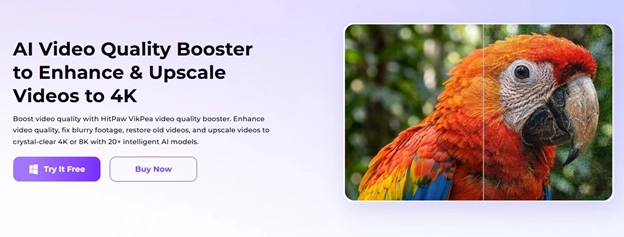
HitPaw VikPea is one of the best all-in-one AI-powered video quality booster tools. It helps users improve videos at a professional level without complicated editing steps. The software uses advanced AI models for video upscaling, sharpening, restoration, denoising, and optimization.
HitPaw VikPea is especially useful for improving old footage, blurry videos, low-resolution clips, and AI-generated videos. It is a strong choice for users who want a simple but powerful tool to boost video quality with only a few clicks.
Key Features
-
Upscale videos to 4K and 8K
-
Sharpen blurry footage and restore details
-
Reduce noise, grain, and visual distortion
-
Restore old and damaged videos
-
Improve AI-generated videos
-
Enhance facial details and skin clarity
-
Batch process multiple videos at once
-
Improve colors, lighting, and brightness
Best For
-
Beginners
-
YouTube creators
-
TikTok users
-
Old video restoration
-
AI-generated content
-
Social media creators
-
Users who want a simple video quality booster
Why It Stands Out
HitPaw VikPea stands out because it combines powerful AI enhancement features with an easy-to-use interface. Users do not need advanced editing knowledge to upscale, sharpen, or restore videos.
The software performs well in video restoration, blurry video sharpening, noise reduction, and AI video enhancement. Its support for 4K and 8K upscaling also makes it a valuable option for creators who want their videos to look more professional.
2. Topaz Video AI

Topaz Video AI is one of the most advanced tools for video upscaling and restoration. It uses machine learning models to improve sharpness, recover details, reduce motion issues, and stabilize shaky footage. It can also upscale videos to very high resolutions, making it popular among film editors and professional video producers.
Topaz Video AI is a great choice for users who need deep restoration and high-end output quality. It is especially useful for film restoration, archival footage, and professional production workflows.
Best For
-
Professional editors
-
Film restoration projects
-
Advanced upscaling
-
High-resolution video enhancement
-
Users who need detailed control
Possible Limitation
Although Topaz Video AI delivers excellent results, its interface and workflow may feel complex for beginners. Users who only need a quick enhancement may prefer a simpler video quality booster.
3. VEED
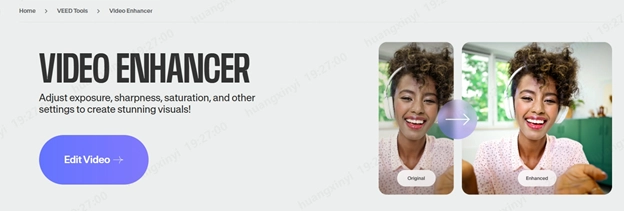
VEED is a browser-based video editing platform with simple AI-powered enhancement features. It allows users to improve brightness, sharpness, clarity, and overall video appearance directly from their browser. No software download is required.
VEED is popular among social media creators because it combines editing and enhancement in one online platform. Users can trim videos, add subtitles, improve visual quality, and export content for platforms such as TikTok, Instagram, and YouTube.
Best For
-
Online editing
-
Quick social media videos
-
Beginner creators
-
Browser-based workflows
-
Users looking for a simple video quality booster free trial or online option
Possible Limitation
VEED is more focused on online editing convenience than deep restoration or advanced 8K upscaling. It is better for quick improvements than professional-level video repair.
4. PowerDirector
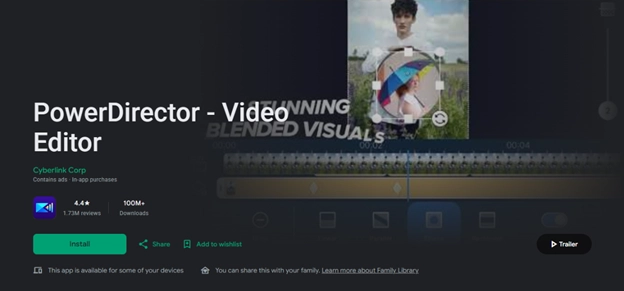
PowerDirector is a video editing and enhancement tool designed for creators who want both editing features and AI-powered improvement tools. It offers stabilization, noise reduction, color correction, sharpening, and other enhancement options.
This tool is useful for creators who want to edit and enhance videos in the same platform. It works well for YouTube videos, social media content, product videos, and personal projects.
Best For
-
YouTube editing
-
Content creators
-
Beginner and intermediate users
-
Social media projects
-
Users who want editing and enhancement in one tool
Possible Limitation
Because PowerDirector includes many editing features, it may feel overwhelming for users who only want a simple one-click video quality booster.
5. Adobe Premiere Pro
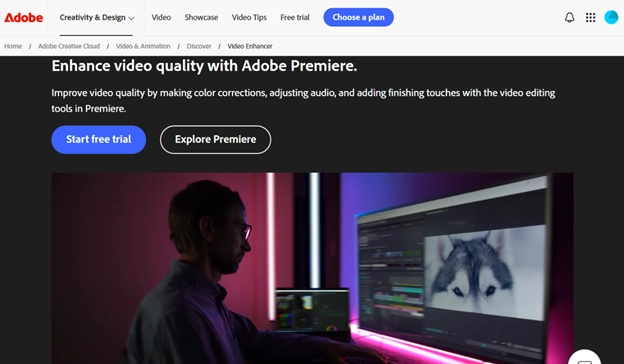
Adobe Premiere Pro is one of the most widely used professional video editing programs in the world. It includes AI-powered features for color correction, sharpening, scene editing, audio enhancement, and workflow automation.
Premiere Pro is commonly used in filmmaking, advertising, television production, and commercial video editing. For professional editors, it offers advanced control over every part of the editing and enhancement process.
Best For
-
Advanced editors
-
Agencies
-
Professional production teams
-
Film and commercial projects
-
Users who need complete creative control
Possible Limitation
Adobe Premiere Pro has a steep learning curve. It may not be the best choice for beginners or users who only need a quick tool to boost video quality.
6. AirBrush
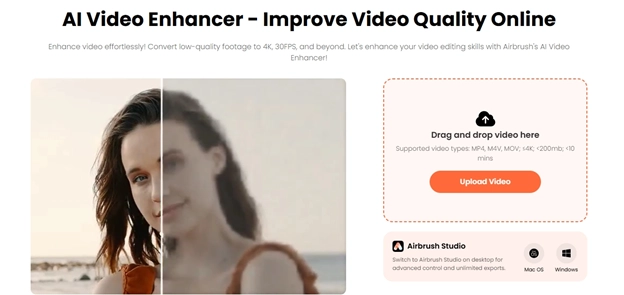
AirBrush is a user-friendly online video enhancement platform for people who want quick results without learning advanced editing skills. It uses AI technology to improve brightness, contrast, saturation, sharpness, and clarity.
AirBrush also supports AI video upscaling, helping users turn low-resolution or blurry videos into cleaner HD and 4K content. It is a practical option for social media videos, family clips, low-light footage, and simple online enhancement tasks.
For users searching for a video quality booster free option, AirBrush may be worth exploring because it offers accessible online enhancement features for basic video improvement.
Best For
-
Social media creators
-
Quick online video enhancement
-
Beginners with no editing experience
-
Improving low-light videos
-
Enhancing blurry family videos
-
TikTok, Instagram, and YouTube content
Possible Limitation
AirBrush is mainly designed for basic video improvement. It does not offer the same level of advanced restoration or professional editing control as more powerful desktop tools. It may also be limited when handling multiple videos at once.
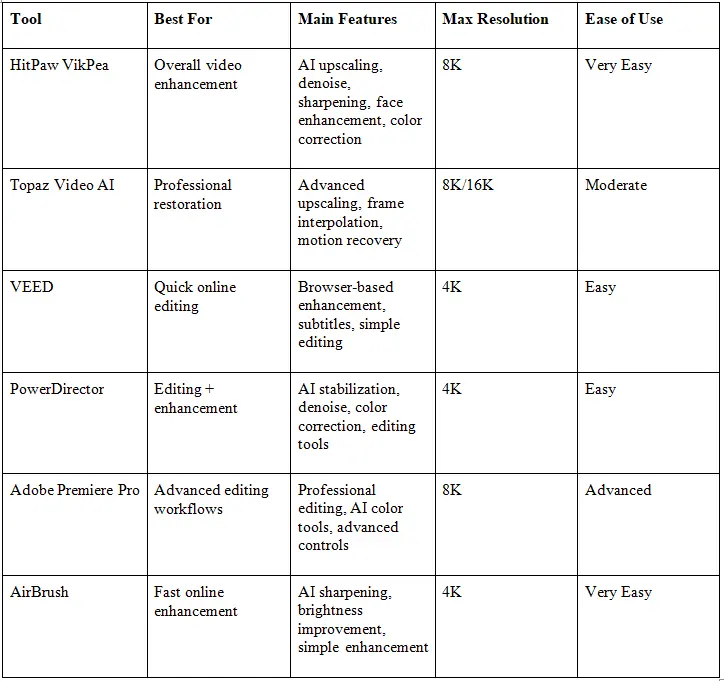
Quick Comparison of the Best Video Quality Booster Tools in 2026
How to Choose the Right Video Quality Booster
When choosing a video quality booster, consider your editing experience, video type, desired output quality, and workflow. If you only need to make a blurry video clearer for social media, an online tool may be enough. If you need advanced restoration, 4K or 8K upscaling, and detailed control, desktop software may be a better choice.
A strong quality booster video tool should be easy to use, support the resolution you need, process videos efficiently, and provide natural-looking results. The best option depends on whether you want fast automatic enhancement or professional-level control.
Conclusion
Video quality booster tools provide an easy way to improve footage affected by blur, noise, poor lighting, low resolution, compression, and shakiness. Whether you are a social media creator, YouTube producer, business advertiser, filmmaker, or someone restoring old family memories, these tools can save time while helping you achieve better visual results.
Among all the options listed above, HitPaw VikPea stands out by combining AI upscaling, sharpening, restoration, denoising, face enhancement, and 4K/8K video improvement in one easy-to-use platform. If you are looking for a reliable video quality booster in 2026, HitPaw VikPea is one of the tools worth trying for both beginners and experienced creators.