>>
Technology>>
Artificial intelligence>>
n8n AI Workflow Automation: A ...n8n AI Workflow Automation: A Practical Review of Real Business Use Cases
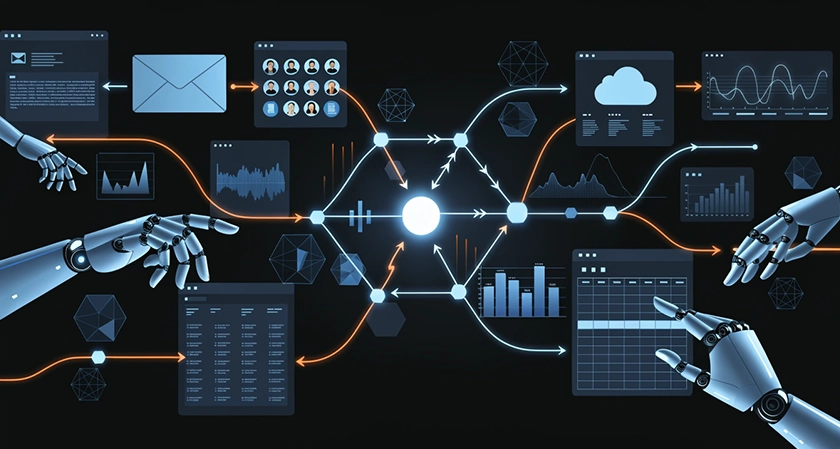
Automation platforms have multiplied over the past few years, but most of them still require you to choose: either a no-code tool with limited logic, or a developer-built pipeline that nobody outside engineering can touch. n8n sits in an interesting middle ground - open-source, self-hostable, and flexible enough to handle genuine AI integrations without locking you into a vendor's pricing model.
The question most teams hit early on is not "can n8n do this?" - it almost certainly can - but "what should we actually automate first, and how do we keep it from becoming a maintenance nightmare?" A well-structured breakdown of n8n workflow examples across support, sales, ops, and marketing functions maps out this decision in practical terms, so this review builds on those patterns with an honest look at what works, what needs guardrails, and where teams typically stumble.
The Workflow vs. Agent Distinction Actually Matters
One of the most useful things any n8n guide can do is force clarity on a question most teams gloss over: when do you need an AI agent, and when is a plain workflow enough?
A workflow in n8n is deterministic - input goes in, defined steps run, output comes out. An AI agent is dynamic: it decides which tools to call based on context, adapting to the specifics of each situation.
That distinction shapes everything downstream - cost, reliability, governance, and how much human oversight you need to keep things safe. Most teams that rush into agent-first builds end up spending more time debugging unpredictable behavior than they saved on automation.
The practical rule: if you can define the steps in advance, use a workflow. Reserve agents for cases where the path genuinely can't be scripted - complex triage, multi-step investigations, or tasks where the next action depends on the output of a tool call.
What Actually Gets Automated: 12 Use Cases Reviewed
Support and Service Operations
Email triage is the cleanest starting point for anyone new to n8n AI integrations. The workflow classifies inbound messages by type - support, billing, sales, ops - and routes them to the right queue. The key guardrail here is a minimum confidence threshold plus a fallback label for messages the model isn't sure about, which keeps misclassified emails from disappearing into the wrong channel.
Support reply drafts with human approval is arguably the most consistently valuable pattern in the entire list. The workflow drafts a reply using ticket context and customer history, then holds for approval before anything gets sent. It cuts response time meaningfully without the risk of shipping a hallucination or an incorrect promise directly to a customer.
Sales Workflows
Lead enrichment and scoring connects marketing intake to sales routing in a measurable way. A form submission triggers enrichment, scoring logic runs, and the result routes the lead to either a fast-lane SDR queue or a nurture sequence - based on actual signal rather than gut feel.
Personalized outreach drafts generate two or three message variants per lead, using role, industry, and identified pain points as inputs. The SDR selects or edits before anything goes out. Required guardrails include a banned claims list and mandatory personalization fields like industry, role, and trigger event - without those, the outputs drift toward generic copy fast.
Marketing and Content
Content brief to draft compresses time-to-first-draft by converting a brief into an outline, then a working draft, and pushing the result directly to Google Docs or Notion. Editorial control stays with the writer; the automation handles the blank-page problem.
Weekly performance summaries pull KPIs on a schedule and produce a short narrative update posted to Slack or sent by email. This converts dashboards into decisions without someone spending half a day writing status updates. It's one of the more repeatable patterns in the list because the inputs and outputs are highly structured.
Internal Operations
Knowledge base Q&A answers internal questions by retrieving from your docs - policies, SOPs, product notes - and returning an answer with source links. It's read-only by default, which makes it one of the lowest-risk AI integrations available.
Meeting notes to tasks solves a specific and common problem: things get discussed, decisions get made, and then nothing gets created because nobody logged the action items. The workflow processes a transcript, extracts decisions and tasks, and creates issues in Jira, Asana, or ClickUp with owners and due dates attached.
Competitor and pricing monitoring watches target pages for changes and summarizes what shifted. Simple, measurable, and requires no action-taking capability - which makes it a clean entry point for teams that want to pilot AI integrations without governance complexity.
Ops intake copilot converts messy internal requests into structured tickets with all required fields filled in. It reduces back-and-forth by clarifying missing details before the ticket ever reaches a queue.
Advanced: AI Agents and Workflow Governance
Tool-calling agents are the high-impact, high-risk end of the spectrum. The recommended safe approach is a "propose first" mode: the agent outlines a plan, a human approves it, and only then do allowed actions execute - with tool allowlists and action approval at every step.
Workflow governance - treating automations like software, with versioning, ownership, and review processes - is the unglamorous last item on most lists and the one that actually determines whether any of the above survives contact with real operations. Exporting workflows to Git and reviewing changes like code prevents the classic "who changed this and why did it break?" problem once automations start touching core systems.
What the KPIs Should Actually Measure
The practical advice here is to track outcomes rather than AI activity: time-to-first-response and approval rate for support drafts; lead-to-meeting rate and enrichment completeness for sales; request cycle time and error rate for ops; and cost metrics like AI calls per run and average tokens per run for budget control.
This framing matters because "number of automations deployed" tells you nothing useful. A single email triage workflow that saves 45 minutes per day across a support team is worth more than a dozen AI integrations that nobody monitors.
From Automation to Transformation: The Bigger Picture
Individual n8n workflows solve real problems. But there's a ceiling to what any collection of automations can deliver if there's no strategic layer connecting them to broader business goals.
Most AI pilots stall not because the technology fails, but because there's no real plan behind them - disconnected experiments across teams rarely add up to anything meaningful at the company level. This is where workflow automation and enterprise AI strategy diverge.
A structured AI transformation roadmap addresses exactly that gap. It connects AI capabilities to strategy, operations, governance, and financial goals - not as a vision statement, but as a working plan. The framework moves through defined phases: readiness assessment, use case prioritization, data foundation, piloting, scaling, and ongoing governance. Each phase builds on the previous one, which is what separates compounding value from one-off wins.
The AI transformation roadmap best practices that consistently show up in successful enterprise implementations come down to a few core habits: executive sponsorship from day one, cross-functional governance committees that keep silos from forming, ROI defined before work begins rather than after, and compliance built into the process rather than bolted on at the end.
For teams that have already proven ROI with targeted n8n automations, this is the natural next step - moving from "we automated this workflow" to "AI is embedded in how the organization actually operates."
Honest Assessment
The patterns covered here are well-chosen - they're practical, the risk levels are varied enough to let teams start cautiously, and the guardrail recommendations are specific rather than generic. The content brief-to-draft and weekly summary workflows are the clearest quick wins for marketing and ops teams. The agent use cases are handled with appropriate caution, which is not a given in most automation content.
The main limitation is that n8n's real complexity doesn't live in the workflow logic - it lives in authentication edge cases, rate limits, and what happens when an external API changes. Those problems don't have template solutions, which is why teams with production-grade requirements often end up working with implementation partners rather than building everything from scratch.
For teams evaluating whether n8n is the right tool and what to build first, the use case mapping and guardrail framework in the original guide are worth the read before touching a single node.