>>
Technology>>
Artificial intelligence>>
How to Route a Micro Drama Epi...How to Route a Micro Drama Episode: Drama Studio, Seedance 2.5, and Wan 3.0
The Silicon Review
07 August, 2026
Author:
Guest
Micro drama fails in two opposite ways.
Some teams live inside a series bible and never ship a watchable cut. Others spam frontier models until every episode looks like a new cast audition.
The fix is routing. Keep the show in one drama workspace. Send each beat to the video model that matches the job — longer reference-locked action to one engine, omni-reference story turns to another — then bring the survivors back into the episode.
This playbook uses three Topview surfaces on purpose: Drama Studio for planning, assets, boards, and episode assembly; Seedance 2.5 for 30-second, reference-heavy production beats; Wan 3.0 for omni-reference story beats with smart duration and document/web-aware briefs.
It is not another “best model” list and not a novel-adaptation essay. It is a shot-routing method you can run in one afternoon.
The division of labor
|
Stage |
Owner |
Job |
|
Premise, episode cards, cast, locations, props, beat sheet |
Drama Studio |
Make the series remember itself |
|
Storyboards / shot order |
Drama Studio |
Kill bad pacing before generation |
|
Multi-lock AV beat (cast + product + music + timestamp fixes) |
Seedance 2.5 |
Finish a long controlled scene |
|
Narrative / photoreal turn from a tight omni pack (or deck/URL context) |
Wan 3.0 |
Carry a story beat without frankenstein joins |
|
Continuity check + export |
Drama Studio |
Episode still looks like one show |
If you reverse this — generate first, invent the bible later — you will spend the week fixing haircuts.
Step 1 — Build the episode package in Drama Studio
Open Drama Studio and treat the agent as a producer, not a slot machine.
Lock before any vanity render:
- Episode question viewers can repeat
- Lead + rival cards with wardrobe rules
- One recurring location
- 6–8 beats ending on a cliffhanger
- Props that matter (phone, contract, key object)
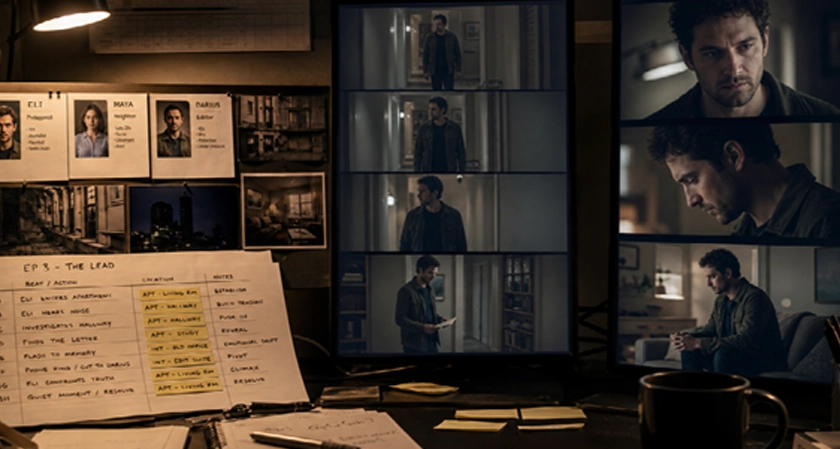
Drama Studio’s point is the workbench: outlines, characters, places, props, scripts, and beat sheets stay editable outside a chat scroll. Approve the package. Then board it. If panel one does not hook, do not generate yet.
Step 2 — Tag each beat with a model lane
Do not send every panel to the same model. Label beats like a DOP:
|
Beat type |
Route to |
Why |
|
Concert-style walk, fight arc, multi-shot continuity with a fat reference kit |
Seedance 2.5 |
Up to ~30s, dense multimodal refs, timestamp repair |
|
Cold-open story turn, emotional reveal, doc/URL-conditioned brief, first-frame lock |
Wan 3.0 |
Omni-reference + smart duration + mode discipline |
|
Insert that only needs a still + line of dialogue already boarded |
Stay lighter / reuse prior take |
Do not burn a 30s model on a reaction blink |
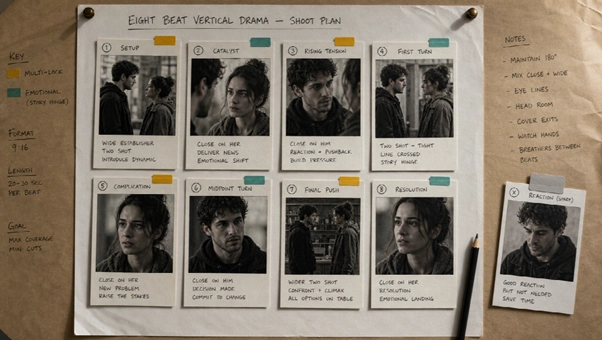
Write the labels on the beat sheet itself. Future-you will thank present-you.
Step 3 — Generate the Seedance lane
For Seedance 2.5 beats, pack references like a commercial unit:
- @Image cast locks
- location stills
- optional motion / music refs
- a timed prompt: open → turn → button, with sound cues named
Ask for the full beat length when the scene needs room. If second twelve is wrong, revise that range — do not reroll the entire episode mythology.
Bring approved takes back into the Drama Studio project so the episode still owns the file, not a random Downloads folder.
Step 4 — Generate the Wan lane
For Wan 3.0 beats, keep the pack smaller and the roles louder:
- Name what each media item does
- Choose omni-reference or first/last-frame — not both mashed together
- Use smart duration when the reveal does not deserve a forced 30 seconds
- Turn thinking on only when a PDF / deck / public page is the source of truth
Wan’s job in this pipeline is the story hinge: the accusation, the discovery, the quiet walk that has to feel continuous. Seedance’s job is the production set piece that must hold many locks at once.
Step 5 — Reassemble and torture-test on a phone
Back in Drama Studio:
- Lay beats in episode order
- Check face / wardrobe / room across model boundaries
- Confirm the cliffhanger is still the last meaningful image
- Add captions / VO habits your platform needs
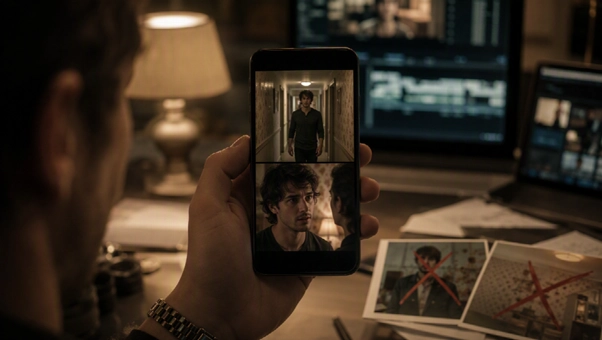
- Watch full-screen on a phone, not on a desktop theater fantasy
Fail criteria are boring and correct: unrecognizable lead by second ten, location drift between Seedance and Wan takes, cliffhanger that feels like a random cut.
A half-day schedule that actually finishes
|
Block |
Work |
|
0:00–0:40 |
Drama Studio package + boards |
|
0:40–0:50 |
Tag Seedance vs Wan beats |
|
0:50–1:40 |
Seedance set-piece generation + one revision pass |
|
1:40–2:20 |
Wan story-hinge generation + one revision pass |
|
2:20–3:00 |
Reassemble, phone QC, export teaser |
If you cannot finish a pilot on this clock, your beat sheet is too novelistic. Cut travelogue. Keep motive.
What not to do
- Run the whole episode through one model “for consistency” — consistency comes from assets, not monopoly
- Generate before character cards exist
- Use Wan’s document mode for every casual still pack
- Use Seedance’s 50-reference appetite for a two-shot stare
- Publish episode one without an episode-two hinge already written
Bottom line
Micro drama is a routing problem wearing a storytelling costume.
Keep the show memory in Drama Studio. Send heavy, timestamp-sensitive production beats to Seedance 2.5. Send omni-reference story turns to Wan 3.0. Judge the pipeline by whether episode two still looks like the same series — not by which model won a screenshot contest.















Comments