>>
Industry>>
Media and entertainment>>
What Display Problems Can Poin...What Display Problems Can Point to an Outdated Digital Signage Player
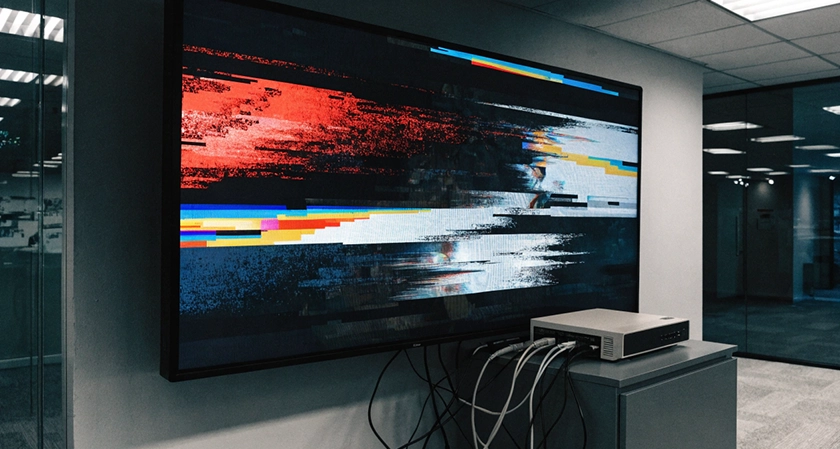
A business display can develop small performance problems before a larger issue becomes obvious. Video may lose its smooth motion, an application may freeze, or scheduled content may take longer to appear. When the same symptoms return with demanding media, the hardware behind the screen may deserve a technical review.
A digital signage player handles media playback, applications, layouts, and communication between the content platform and display. As businesses introduce 4K video, web-based material, multiple zones, and larger files, their hardware requirements can increase. Recognizing specific screen symptoms can help teams determine when existing equipment may no longer match current display demands.
Common Display Problems That Can Reveal Hardware Limitations
Blank or Black Screens
A digital screen that repeatedly goes blank may have lost its video signal or connection with the player. Power interruptions, damaged cables, or incorrect display settings can produce similar results, so teams should check those factors first. If the problem appears with higher-resolution output or heavier workloads, hardware compatibility may require further investigation.
Choppy or Lagging Video
High-resolution video requires sufficient CPU and graphics capability to decode frames at the required speed. Equipment with limited resources may show skipped frames, brief freezes, or uneven motion when handling demanding 4K files. Consistent trouble with specific resolutions or codecs can help teams identify where the player limitation occurs.
Apps Crash or Content Freezes
Web pages, dashboards, widgets, and multi-zone layouts can place several demands on memory at once. Limited RAM can make it harder for older equipment to keep these processes active while other media continues to run. Frequent freezes or unexpected application closures can signal that the assigned workload has exceeded available resources.
New Content Fails to Reach the Display
Scheduled playlists depend on reliable network access, compatible software, and a supported operating environment. Older software or operating systems may eventually lose compatibility with newer application requirements or web technologies. Teams may then notice failed downloads, missing media, or scheduled material that does not refresh correctly.
Audio and Video Lose Synchronization
Sound and picture should remain aligned from the beginning to the end of a video. Hardware that struggles to decode demanding media may drop frames, causing visual movement to fall behind the audio. Repeated synchronization problems with particular file types can point toward a decoding or performance limitation.
Why Older Hardware Can Struggle With Newer Content
Hardware age alone does not determine performance. Problems become more relevant when device specifications no longer match the media, applications, layouts, or operating demands.
- Lower processing capacity: Older CPUs and graphics hardware may struggle with high-resolution media or complex layouts.
- Limited RAM: Insufficient memory can affect web applications, widgets, and background processes running together.
- Older operating systems: Newer applications and web technologies may require more current software environments.
- Reduced software support: Devices without compatible updates may lose access to newer platform capabilities.
- Heat management limits: Heavy workloads can create additional thermal demands over extended operating periods.
A technical assessment should consider resolution, media type, layout complexity, connectivity, and operating hours when evaluating existing equipment.
Match Player Specifications to the Content Requirements
A hardware upgrade should address the display problems a business actually experiences. If 4K videos lose smoothness, teams can review resolution support, frame rate, and decoding capability. Screens running dashboards, web applications, or multi-zone layouts may require more RAM and processing resources.
Connectivity and storage also matter when screens receive frequent content updates or manage larger media libraries. Features such as dual-band Wi-Fi, Wi-Fi 6, Gigabit Ethernet, and local storage can support different deployment requirements. A digital signage player should therefore match the screen's resolution, content complexity, network needs, storage demands, and expected operating hours instead of being selected around specifications alone.
Recurring display problems can reveal when existing hardware is struggling to meet current content demands. Choppy video, delayed updates, frozen applications, or synchronization issues become more meaningful when they appear repeatedly. Reviewing these signs alongside resolution, connectivity, and workload requirements can help businesses determine when an upgrade may provide more consistent screen performance.



















Comments