>>
Technology>>
Networking>>
Best Linux-Friendly Network Se...Best Linux-Friendly Network Security Providers for Small Business: Top 5 Compared

Cyber crooks hit small companies as often as the big guys—and the cleanup costs mount fast.
If your stack runs on Linux, choosing a firewall or cloud shield gets tricky because many tools still assume Windows.
In this guide, we’ll show you security options that respect Linux, fit a small-business budget, and grow with you.
Before you decide, make sure your connection can keep up; the benefits of switching to fiber internet for your business give every defense a stable base.
Let’s get started.
Why Linux-friendly network security matters
Linux quietly runs much of small-business tech. It powers web servers, point-of-sale tablets, and even the lobby’s door-access controller. Yet many security suites still assume every admin sits behind Windows.
That gap creates risk. When a console won’t open in Firefox on Ubuntu, or a VPN client arrives only as an .exe, you burn hours on work-arounds instead of blocking threats.
Attackers have noticed. Ransomware crews probe kernel bugs, and supply-chain exploits hitch rides in popular open-source packages. A weak firewall leaves those paths wide open.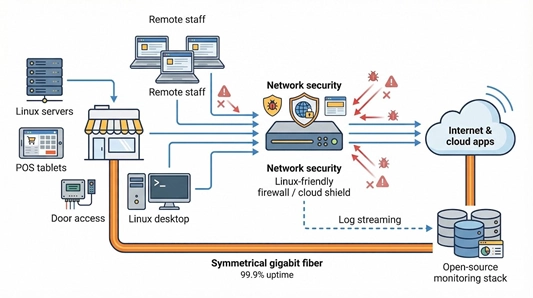
We need tools built for the way we work: dashboards that load in any browser, native Linux agents when they add value, and logs that stream straight into the open-source monitoring stacks you already run.
Pick a provider that treats Linux as a first-class citizen and you’ll cut friction, gain coverage, and future-proof your security stack.
For example, WOW! Business fiber internet gives small offices symmetrical gigabit speeds, 99.9% uptime SLAs, and optional static IP blocks.
Symmetrical gigabit speeds and 99.9 percent uptime, two of the benefits of switching to fiber internet for your business, match the throughput and stability that deep-packet inspection and real-time log streaming demand, so your Linux-based defenses react instantly instead of dropping packets when traffic surges.
How we ranked the providers
Every vendor on our long list promised speed, power, and modern security tricks. Marketing claims alone don’t help you sleep at night, so we built a scoring sheet and let the numbers decide.
First, we weighted Linux compatibility above everything else. If the console froze in Chromium or the VPN agent ignored Debian, the product lost points.
Second, we checked affordability. Small-business budgets live and die on monthly cash flow, so we compared true total cost: hardware, licenses, and the minutes you spend applying updates.
Third, we measured security breadth. A unit that filters ports but misses malware is half a lock. We favored platforms that combine firewall rules with intrusion prevention, web filtering, and up-to-date VPN choices.
Ease of management came next. Clear dashboards, smart defaults, and remote updates matter when you wear six other IT hats.
Finally, we scored support quality and recent security posture. Fast patches and helpful humans count; radio silence after a zero-day does not.
Only five contenders cleared the bar. They’re up next.
Top Linux-friendly network security providers for small business
You wanted real-world winners, not a giant vendor list. We narrowed the field to five solutions that topped our scorecard. Let’s explore them, starting with the appliance that set the baseline for features and speed.
1. Fortinet FortiGate: best all-in-one security
FortiGate packs enterprise power into a desk-friendly appliance. Even the entry-level 40F runs the same FortiOS engine as data-center models, so you get full NGFW inspection, VPN, web filtering, and sandbox integration in one unit.
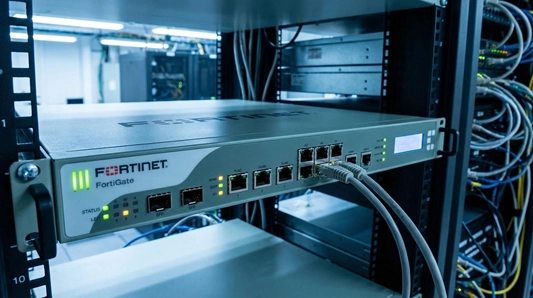
Fortinet FortiGate next-generation firewall product page screenshot
Linux admins feel at home. The GUI opens in any browser, and the CLI mirrors familiar network syntax over SSH. Fortinet’s FortiClient for Debian, Red Hat, and other distros keeps developers tunneling in without work-arounds.
Performance stands out. Custom ASIC chips offload deep packet inspection, letting you keep IPS and SSL scanning active without slowing a gigabit fiber link. That matters when ransomware often hides inside encrypted traffic.
Pricing fits small offices. Hardware frequently lands below $600, and you choose a subscription tier that matches your risk profile. Pay once a year, receive nonstop threat-intel updates from FortiGuard Labs, and rest easier.
If you need a single box for firewalling, content control, and site-to-site VPNs, FortiGate is the plug-and-protect choice.
2. OPNsense: best open-source firewall
If you prefer source code over secret sauce, OPNsense sits at the front of the pack. TechRadar’s 2025 roundup of Linux firewalls ranked it high for flexibility and ease of use.
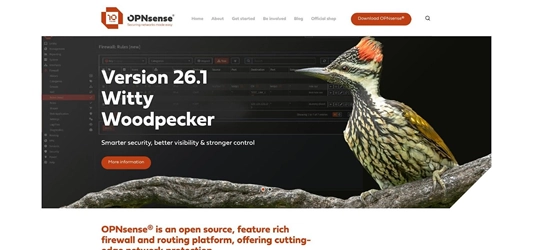
OPNsense open-source firewall official website screenshot
OPNsense runs on standard x86 hardware, so that retired workstation in the closet can become a full NGFW before lunch. Installation feels like any Linux distro: burn the image, answer a few prompts, and you are protected by a capable stateful firewall.
The web interface is clean and modern. Policies, VPN tunnels, and IDS rules live behind clear tabs, and changes apply instantly. Power users can still drop to the FreeBSD shell for deep tweaks or automation scripts.
Cost is simple. The software is free, updates arrive every few weeks, and community plugins such as Zenarmor add Layer-7 visibility without a license fee. You pay only for hardware or optional commercial support.
That freedom demands discipline. No vendor will email you about the next zero-day patch, and throughput depends on the CPU you choose. If you are comfortable maintaining a Linux server, OPNsense delivers enterprise-grade control at a hobbyist price.
3. Cloudflare One: best cloud shield for remote teams
When staff connect from coffee shops instead of cubicles, the old “tunnel every packet back to the office firewall” model falls apart. Cloudflare One fixes that by moving network security to a global edge.
Setup is simple. Point your DNS to Cloudflare, install the lightweight WARP client on each laptop, and set access rules in a browser. A native package exists for Ubuntu, Debian, Red Hat, and other distros, so no Windows-only installers.
After traffic reaches Cloudflare’s edge, the service blocks malware, filters risky domains, enforces identity checks, and replaces clunky VPN concentrators with Zero Trust rules. Performance stays steady because requests exit at the nearest of hundreds of data centers.
The free tier supports up to fifty users, giving a small startup enterprise-grade filtering without a purchase order. Paid plans add CASB, email scanning, and extended log retention as your needs grow.
Cloudflare One will not segment your office LAN, so you may still keep a basic firewall at the router. For roaming employees and cloud-hosted apps, though, it delivers fast, low-maintenance protection.
4. WatchGuard Firebox: best hardware UTM for ease of management
Some companies want a firewall that simply operates and offers a phone number to call when it does not. WatchGuard has owned that niche for decades, and the latest Firebox T-series shows why.
Plug it in, claim the device in WatchGuard Cloud, and a wizard walks you through policy templates for common small-office scenarios. Within minutes you have a live NGFW with IPS, web filtering, spam blocking, and site-to-site VPN running in the background.
The browser interface stays clean. Rules read like plain English, traffic charts are easy to scan, and critical alerts rise to the top so you do not hunt for trouble. Linux admins appreciate that every tool lives in a tab, not a Windows app, and logs export cleanly to syslog or Splunk.
Hardware sizing is honest. A T40 secures a 500 Mbps fiber line with security services active, while a T85 can handle more than a gigabit. Throughput drops if you turn on full TLS inspection, but WatchGuard’s capacity guide helps you choose the right box.
Subscription bundles keep math simple. Basic Security covers the essentials; Total Security adds sandboxing and DNS watchlists. Pricing lands in small-business territory, and vendor support lets you hand off late-night patch worries.
Choose a Firebox when you need broad protection, clear workflows, and the peace of mind that a live person can help at any hour.
5. Sophos XGS Firewall: best unified network + endpoint platform
Sophos built its reputation on endpoint defense, then folded that insight into its firewall line. The XGS series—available as hardware or virtual appliances—talks to your laptops and servers in real time.
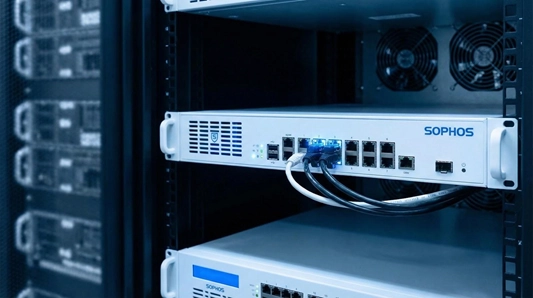
Sophos XGS firewall and Sophos Central unified management product page screenshot
Spin up an XGS 87 at the edge and Sophos Central discovers it automatically. One cloud dashboard now shows firewall alerts, Linux server malware hits, and suspicious Mac behavior side by side. Kill a process on an endpoint and the firewall can isolate that host within seconds, eliminating constant context switching.
The interface suits busy admins. Wizards handle common jobs such as guest Wi-Fi segments or SSL VPN setup, and the live traffic view explains rules in plain language. Under the hood you still get granular controls: IPS tuning, SD-WAN routing, and TLS inspection powered by dedicated flow processors.
Pricing is modular. Buy only the network stack or bundle web, email, and sandboxing features as your risk grows. Hardware starts around $400, and the free Sophos Firewall Home edition lets you test the UI on spare hardware before you commit.
Choose Sophos if you want one vendor, one console, and one support team covering both the packets at your door and the processes on your Linux servers.
Compare your options at a glance
|
Provider |
Deployment model |
Linux integration |
Stand-out strengths |
Typical SMB cost |
|
Fortinet FortiGate |
Hardware or VM |
Web GUI, Linux VPN agent |
ASIC-accelerated NGFW, broad companion tools |
$300 – $800 plus annual suite |
|
OPNsense |
Self-hosted software |
Browser UI, shell access |
Free core, plugin flexibility |
Hardware cost only (software free) |
|
Cloudflare One |
Fully cloud |
Native WARP client, API |
Zero Trust access, global edge |
Free for up to 50 users, then per-user |
|
WatchGuard Firebox |
Hardware |
Web and cloud dashboards |
Wizard setup, strong vendor support |
$400 – $1,200 with service bundle |
|
Sophos XGS |
Hardware or VM |
Cloud console, Linux agent |
Endpoint and firewall sync |
$400 – $1,000 plus modular packs |
Frequently asked questions
Below are answers to some common questions about choosing Linux-friendly network security solutions.
Do small businesses need a next-gen firewall?
Yes. Modern threats bypass simple port filters, and cyber-insurance forms now ask for IPS and web filtering by name. PCI DSS 4.0 even replaces the word “firewall” with “network security controls,” making the expectation clear, according to SecurityMetrics in 2024.
Open-source or commercial: which is safer?
Open projects such as OPNsense let you inspect every line and skip license fees, while commercial boxes bundle 24/7 support and threat feeds. Pick the model that matches your in-house skills; safety comes from timely updates, not branding.
Will these tools protect my Linux servers directly?
Perimeter defenses stop many attacks, but host visibility still matters. Fortinet and Sophos ship Linux endpoint agents, and open-source stacks like Wazuh add file-integrity and log analysis on any firewall.
We’re on a tight budget—what is the minimum viable stack?
Repurpose an old PC for OPNsense, enable Suricata IDS, and point laptops to Cloudflare’s free DNS filter. You spend only time and still gain layered protection.
How often should I patch the firewall?
Treat security gear like a critical server. Check for firmware updates every month and fast-track any high-severity advisory. Schedule reboots after hours; five minutes of downtime beats five days of ransomware recovery.
Conclusion
Linux-centric security options now match or beat their Windows-biased rivals in features, price, and ease of use. Choose a solution that integrates cleanly with your infrastructure today and scales with tomorrow’s growth, and you will protect your small business without adding unnecessary complexity.